Six Steps to Claim Your Apple Music Artist Page for DIY Managers

Article image

Claim your Apple Music artist page through Apple Music for Artists, either on the web or through the iOS app, once your release has been live for at least five business days and you can confirm you’re the primary artist or an authorized manager. Before you touch the form, copy your artist page link from Apple Music and gather your distributor proof: your delivery dashboard link and your UPC or ISRC codes. That prep work is what actually gets your claim approved fast.


TL;DR:

  • Ensuring your release has been live on Apple Music for at least five business days and that you are the primary artist prevents delays during the claim process.
  • Confirming metadata accuracy, including matching artist credits, artwork, and correct UPC or ISRC codes, reduces duplicate pages and supports a smooth claim review.
  • Collecting verifiable proof such as distributor dashboard links, delivery confirmation screenshots, and correct Apple ID details accelerates approval and avoids unnecessary re submissions.
  • Claiming with incomplete or inconsistent evidence, such as wrong account emails or mismatched metadata, is the main cause of delays or rejection.
  • Centralizing proof storage and preparing your team beforehand minimizes delays and streamlines ongoing management after claiming your artist page.

UpNComer
Build Your Artist Operations Hub
UpNComer brings campaign management, analytics, fan engagement, and release promotion together for independent artists and music teams.
Explore UpNComer

Table of Contents

Quick step-by-step checklist to submit a claim

Treat this like any other release-day task: sequence it, don’t wing it. Here’s the order that gets you through review with the fewest headaches.

  1. Confirm your release has been live on Apple Music for at least five business days.
  2. Confirm you’re the primary artist on the release, not a featured credit.
  3. Find your artist page in the Apple Music or iTunes Store app and copy the link.
  4. Sign into artists.apple.com or open the Apple Music for Artists iOS app and select Request Artist Access.
  5. Choose your role (Artist, Manager, or Label Rep) and paste in your distributor evidence and links.
  6. Watch your claim status, respond quickly to any Apple request for more information, and once Admin access lands, start adding your team.

The whole thing takes ten minutes if your metadata is clean and your proof is ready. It takes weeks if it isn’t. Most delays come from missing evidence, not from Apple being slow, so the real work happens before you hit submit.

Eligibility and prep: metadata health, Artist Apple ID, and distributor evidence to collect

Apple’s own guidance is specific: your music needs five business days of live availability, and you need to be the primary artist or an authorized manager initiating the request. Featured credits don’t qualify, and neither does a release still processing through delivery.

Before you claim, run a quick metadata audit with your distributor. Small mismatches here are the number one cause of duplicate artist pages and stalled claims.

  • Artist credits match exactly across every release, including spacing and capitalization.
  • Track titles and release dates match what’s live on Apple Music.
  • Artwork meets Apple’s specs and displays correctly on the artist page.
  • UPC and ISRC codes are recorded and easy to pull up.
  • Contributor credits (producers, writers, featured artists) are complete and accurate.

Ask your distributor to confirm they delivered using your Artist Apple ID, a unique identifier that keeps every release tied to one page instead of splintering across duplicates. This is the detail most DIY artists skip, and it’s the one that causes the most cleanup later.

Once metadata checks out, collect your proof: a screenshot of your distributor’s delivery confirmation, direct dashboard links, and your UPC or ISRC. Apple trusts these because they’re verifiable, not because they look official. A companion release checklist can help you confirm delivery and metadata before you ever open the claim form.

Pro Tip: Build a release evidence folder the day you deliver to your distributor, not the day you decide to claim. Future you will thank present you.

How to submit the claim on iOS versus the website

Both paths ask for the same core information. The difference is just where you’re tapping.

On the iOS app, sign in, select Request Artist Access, paste your artist page link, choose a sample release to verify against, pick your role, and attach your proof links or screenshots. Apple notes the app requires iOS 16 or later and the current version of the Artists app, so update before you start if it’s been a while.

On the website, the flow is nearly identical: sign in, select Request Artist Access, paste the link, fill in the required fields, and attach your evidence.

Whichever path you choose, this is the evidence that speeds review:

  • Your distributor dashboard link showing the delivered release.
  • UPC and ISRC codes for the release you’re claiming under.
  • A screenshot of the delivery confirmation from your distributor.
  • Your official artist website, if you have one.
  • Verified social profiles tied to your artist name.
  • A business registry document, if you’re claiming on behalf of a label or company.

The most common mistakes are claiming as a featured artist instead of primary artist, signing in with the wrong Apple Account email, and submitting evidence that doesn’t match your distributor’s metadata. Any one of these can bounce your request back to square one.

Manage your profile and team once you have Admin access

The first person to successfully claim a page gets Admin access, which means you control who else gets in and what they can touch. Use it deliberately.

  • Add Editor, Analyst, or other team roles so no single person is a bottleneck on release day.
  • Upload a current artist image and pin your newest release to the top of your page.
  • Fill out your artist Q&A and explore the Promote and Artist Content features.
  • Give each team member their own unique Apple Account rather than sharing logins.
  • Audit pending invites every so often so old access requests don’t linger.

A few small habits pay off fast: schedule artwork updates to go live the morning of release day, and pin a new single for its first week so casual listeners see it before it slides down the page. If you’re coordinating a team around these tasks, the AI tools for artist managers guide walks through delegating this kind of work without losing track of who did what. And once your page is live and current, pair it with real online music promotion tactics so the traffic you drive actually lands somewhere polished. If you’re figuring out permission structures for the first time, this permissions checklist for worship teams is built for a different kind of music team but the role-and-access logic translates directly.

Troubleshooting pending claims, duplicate pages, and support tickets

Most claims clear within a reasonable review window. If you haven’t heard back after roughly 10 business days, it’s fair to follow up rather than keep waiting.

  • Duplicate or fragmented pages usually trace back to a missing or inconsistent Artist Apple ID during delivery, so ask your distributor to confirm the ID before requesting a merge.
  • A support ticket should include your delivery metadata, your Artist Apple ID, screenshots of your distributor dashboard, and any evidence that establishes your primary-artist role.
  • If you suddenly lose access, check that your Apple Account email still matches the one used to claim, and note that invites can expire after 30 days if not acted on.
  • Re-request access rather than troubleshooting endlessly. A clean second attempt with better evidence often resolves faster than chasing a stuck ticket.

Pro Tip: Keep your delivery metadata and Artist Apple ID in one shared document your whole team can access. It turns a support ticket from a scavenger hunt into a five-minute reply.

How I sequence artist claims into release operations

Article image

I never leave claiming until after a release drops. I assign Admin access to whoever runs the artist’s day-to-day, prep the distributor proof the same week the release goes to stores, and schedule the profile refresh (new artwork, pinned release, updated bio draft) for the morning the song goes live.

The piece most DIY teams skip is centralized proof storage. Chasing a screenshot from three weeks ago while Apple asks for evidence is how a five-minute claim turns into a two-week delay. A shared metadata and evidence checklist fixes that before it becomes a problem.

— Karan

Where UpNComer fits into your claim workflow

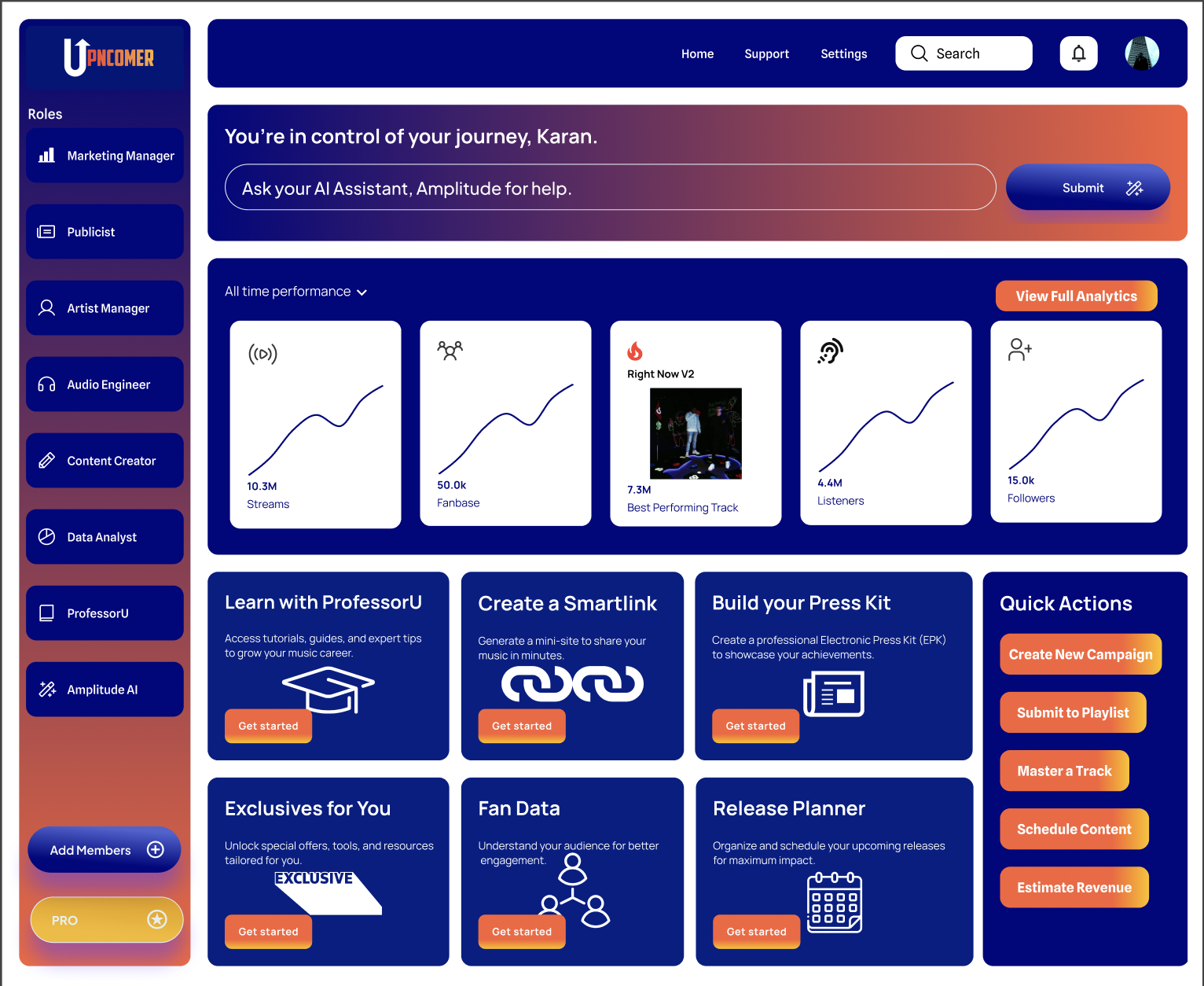
Gathering distributor proof and keeping metadata clean is exactly the kind of operational task UpNComer’s Distribution service and Artist Manager tools are built around. Distribution operates with a royalty split and includes metadata validation to help keep your Artist Apple ID consistent and your dashboard links organized for when Apple requests them.

Article image

Once you’re claimed, UpNComer Pro gives your team a single workspace for streaming analytics, fan engagement, and campaign tools instead of juggling five separate logins. If storing distributor links and running your artist workspace in one place sounds like less work than it currently is, check the pricing page for current subscription options to see if UpNComer Pro fits how your team already operates.

Official Apple support pages to open during a claim

Sources

FAQ

How long does an Apple Music artist claim take to review?

Review times vary, but most claims move through once your evidence is verifiable and your release has met the five business day minimum. If you haven’t heard back after about 10 business days, following up with additional distributor proof is reasonable.

Can a manager claim an artist’s Apple Music page?

Yes, authorized managers can initiate a claim on behalf of an artist, alongside the artist themselves. Apple asks for evidence of that authorization, so distributor links and role selection during the request matter.

Why does my artist have duplicate Apple Music pages?

Duplicate pages typically happen when releases are delivered without a consistent Artist Apple ID, which splits your catalog across separate pages instead of one unified profile. Fixing this usually means asking your distributor to redeliver with the correct ID and requesting a merge through Apple support.

What happens after I successfully claim my Apple Music page?

The first person to complete the claim receives Admin access, which lets you add Editor or Analyst roles for your team and start customizing your profile. From there you can pin releases, update your artist image, and use the Promote features.

Does UpNComer handle the Apple Music claim process for me?

UpNComer doesn’t submit the claim on your behalf, but its Distribution service and metadata validation tools help you keep the Artist Apple ID and delivery proof consistent, which is the evidence Apple actually asks for during review.

Ready to Build Your Music Empire?