
Collect Fan Emails Fast: Smart Links and Gigs for Indie Artists

The fastest ways to collect fan emails right now are smart and pre-save links with built-in email widgets, a dedicated landing page with a real incentive, and reliable on-show capture through QR codes or tablets. Pair every one of these with explicit consent and an immediate welcome email. The rest of this guide walks through setup, the legal must-dos, and what to do once those addresses land in your inbox.
TL;DR:
- Use separate, unticked opt in boxes for email and SMS, and save the timestamp plus exact wording each fan accepted.
- Keep signup forms to one email field, connect every submission to a CRM with its consent record, and offer an immediate promised incentive.
- Artists with old paper lists generally need fresh, granular permission before emailing; EU rules also require prior consent for cookies and tracking pixels.
- Send the promised incentive in an immediate welcome email, then configure SPF, DKIM, and DMARC, provide a single click unsubscribe option, and monitor spam complaints.
Table of Contents
- Quick checklist: practical ways to collect fan emails
- How to enable email capture on smart links and pre-save pages
- Onstage and IRL capture: QR codes, tablets, and paper forms that work
- Website and landing-page signup best practices
- Consent, privacy, and legal essentials (GDPR and sensible global defaults)
- What to do after signup: welcome sequences and deliverability basics
- How an integrated artist platform can simplify collection and follow-up
- Author perspective: why email still matters for artist careers
- UpNComer as a practical option for collecting and following up on fan emails
- FAQ
- Sources
Quick checklist: practical ways to collect fan emails
Before you build anything elaborate, run through the channels that already convert for working musicians. You don’t need all of them at once, but each one plugs a different leak in your fan funnel.
- Add an email widget to your smart or pre-save links so fans opt in the moment they stream your release.
- Build a dedicated landing page offering something concrete: a free track, a discount code, early access.
- Capture emails in person with a dynamic QR code, a printed short-link backup, a tablet, or (as a last resort) paper.
- Use your bio link and pinned social posts to drive traffic toward your signup page, and run a simple giveaway if it fits your brand.
- Confirm you can export or sync every address into a CRM, not just leave it sitting in a third-party dashboard.
Each of these works better when it feeds a single list instead of five disconnected spreadsheets. We’ll cover setup for each one next.
How to enable email capture on smart links and pre-save pages
Most smart-link and pre-save tools include an email-collection toggle somewhere in the link-creation flow, usually under a “fan data” or “marketing” tab. Turning it on adds a short form between the pre-save action and the destination streaming service.
- Create your smart link or pre-save page as usual, then look for the email-capture or fan-data setting before publishing.
- Keep the form to a single field (email) plus one clear consent checkbox: fewer fields means more completions.
- Offer something immediate in exchange, like an unreleased track, a presave badge, or a merch discount code.
- Export the results as a CSV, connect a direct CRM sync, or pull them through an API, and keep a backup along with your consent records.
Pro Tip: Ask for consent and the incentive in the same sentence (“Get the bonus track, join the list”) so fans understand exactly what they’re agreeing to.
This is also where release planning and fan engagement start to overlap: the earlier you capture an email, the sooner you can personalize everything that follows.

Onstage and IRL capture: QR codes, tablets, and paper forms that work
Gigs remain one of the highest-converting places to collect emails, because fans are already invested enough to show up. The trick is removing friction between “I like this” and “I’m on the list.”
- Use a dynamic QR code so you can change the destination without reprinting anything, and always print a short-link fallback for fans who can’t scan in low light.
- Set up a tablet with a single-field email form and a visible consent checkbox; many signup tools sync offline and upload once you’re back on Wi-Fi.
- Paper forms are fine in a pinch, as long as you transfer the data and consent language into your system the same night, while it’s still accurate.
- Brief your merch table volunteers on the incentive and the exact opt-in wording so every fan hears the same pitch.
Pro Tip: Put the QR code on something fans already hold, like a setlist or merch receipt, instead of a separate flyer that gets left on the floor.
Website and landing-page signup best practices
Your landing page is doing double duty: converting curious visitors and feeding your list with usable, consented data. Small design choices move conversion more than most artists expect.
- Stick to a single email field at signup; you can always collect birthdays, locations, or favorite songs later through progressive profiling.
- Write honest incentive copy. “Get the demo I almost scrapped” converts better than vague promises, and it sets accurate expectations.
- Place your privacy policy link directly next to the form, not buried in a footer three scrolls away.
- Limit popup frequency and never block your core content; test whether a popup on exit intent outperforms one on page load.
- Make sure every submission flows into your email tool with a timestamp and consent record attached, not just the address.
These habits matter beyond legal hygiene. A clean capture process is what makes later segmentation and music marketing funnel work possible at all.
Consent, privacy, and legal essentials (GDPR and sensible global defaults)
Consent isn’t a formality, it’s the thing that makes your list usable at all. Under GDPR, marketing consent has to be freely given, specific, informed, and unambiguous, which rules out pre-ticked boxes and bundled “agree to everything” checkboxes.
- Use separate opt-in boxes for email and SMS rather than one blanket checkbox.
- Record the timestamp and exact wording a fan agreed to, not just the fact that they signed up somewhere.
- Old paper lists or informal signups from years back generally need fresh, granular consent before you can email them again, according to case studies from the Musicians’ Union.
- When you can’t confirm where your audience is located, default to a consent-first flow rather than assuming it doesn’t apply to you.
Device-level tracking tools like cookies and tracking pixels require prior consent under EU rules, according to guidance on fan data consent, and legitimate interest doesn’t override that requirement. Link your privacy policy at the point of signup and make unsubscribing a one-click action, not a maze.
What to do after signup: welcome sequences and deliverability basics
The moment someone signs up is the moment they’re most likely to open your email, so don’t waste it on silence. Send a welcome message immediately that confirms what they signed up for and delivers whatever you promised.
- Welcome email: confirm the signup, deliver the incentive, and set expectations for what’s coming.
- Offer or anchor content: a second message a few days later that gives them something worth keeping, like a behind-the-scenes clip or early release date.
- Invite to personalize: ask fans to follow you elsewhere or set preferences so future emails feel relevant, not generic.
Deliverability pressure from major inbox providers has increased, according to Validity’s 2025 benchmark report, which recommends setting up SPF, DKIM, and DMARC, including one-click unsubscribe, and watching your spam complaint rate closely to protect inbox placement. Referencing how someone joined, whether it was a gig, a smart link, or a contest, tends to raise how engaged they stay. Our deeper breakdown of musician email marketing covers how to turn this sequence into ongoing sales.
How an integrated artist platform can simplify collection and follow-up
Running smart links, a CRM, consent records, and welcome automations as five separate tools works, but it also means five separate logins and five chances for data to fall through the cracks.
- Look for smart links with a built-in email widget, so capture happens at the point of interest, not after.
- Confirm the platform syncs directly to a CRM instead of leaving you to export CSVs by hand every week.
- Check that consent records, including timestamps and checkbox wording, are stored automatically.
- Favor tools with ready-made welcome automation templates rather than building sequences from scratch.
- Look for analytics dashboards that show signup source and engagement, so you can see which channel is actually working.
The practical payoff is fewer manual exports, faster welcome flows, and segmentation that’s based on real streaming analytics instead of guesswork.
Author perspective: why email still matters for artist careers

Social platforms rent you attention. Email is the one channel you actually own, and it’s the one that converts into merch sales, pre-saves, and ticket purchases without an algorithm deciding who sees it. Treat streaming as the top of your funnel and email as the lever that turns a listener into a repeat buyer.
The temptation is to chase list size. Resist it. A smaller list of fans who gave real, specific consent will outperform a bloated one every time, because they actually open what you send.
— Karan
UpNComer as a practical option for collecting and following up on fan emails
Collecting fan emails only pays off if the follow-up actually happens, and that’s the part most independent artists let slip. Our platform includes smart links with email capture integrated into the widget, so every pre-save or release link doubles as a signup form instead of a dead end.
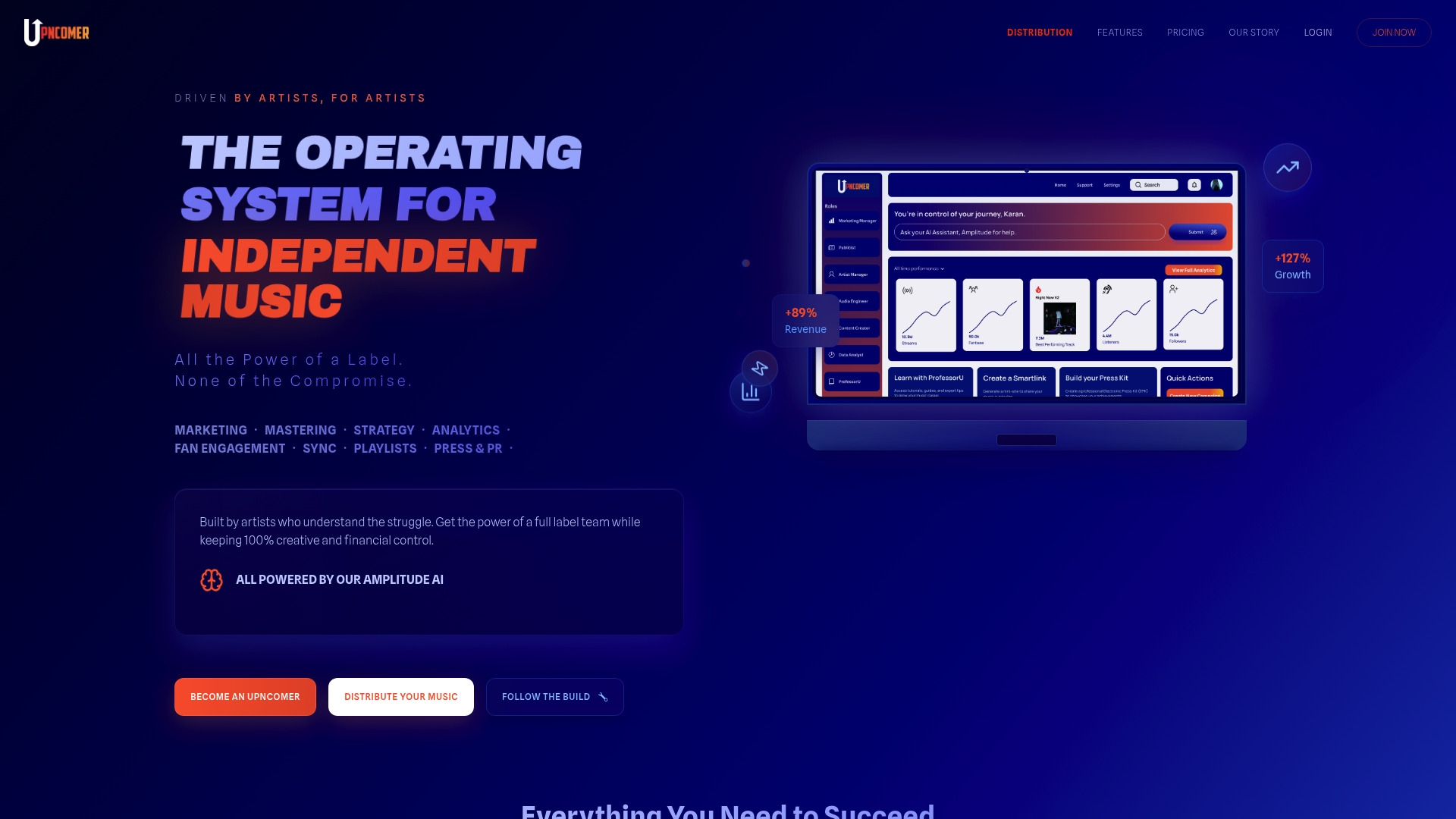
- Smart links can collect emails at the moment of highest interest, without requiring a separate landing page.
- Captured addresses can sync into a fan CRM automatically, with consent data attached.
- Automation templates can handle the welcome sequence so you’re not writing it from scratch.
- Analytics dashboards show which channel, gig, smart link, or contest is actually growing your list.
If you want these pieces working together instead of stitched across five tools, check out UpNComer Pro pricing or browse our distribution and royalty details to see how the full platform fits your release workflow.
FAQ
Do celebrities still receive fan mail?
Yes, fan mail to celebrities and musicians still exists, often routed through management, labels, or fan clubs rather than a home address. For independent artists, email has largely replaced physical fan mail as the practical way to stay in touch.
What is a good app for collecting emails?
A good app for collecting fan emails should support single-field signup forms, consent tracking, and CRM export or sync. Our smart links at UpNComer Pro build email capture directly into pre-save and release links, which removes the need for a separate signup tool.
How do people get fan mail?
Fans typically send mail through an artist’s management, label, or official fan club address rather than directly. Most independent musicians today prioritize building an email list instead, since it offers a faster and more measurable way to stay in contact with fans.
What is a fan email?
A fan email is an email address a listener voluntarily provides so an artist can contact them directly with updates, releases, or offers. Under GDPR, collecting one requires clear and specific consent rather than an assumed opt-in.
Sources
- GDPR marketing consent (iubenda blog)
- MU GDPR case studies (Musicians’ Union PDF)
- Fan data consent and the law (AndR learning center)
- 2025 Benchmark Report (Validity)
- Dynamic QR codes (Bitly blog)