Smart Links for Release Day: UTM Discipline and an UpNComer Workflow
Use one branded smart link as your canonical release URL. Flip it from pre-save to live the moment your song drops, and tag every single share with unique tracking parameters. That’s the whole strategy in one sentence: a smart link is a single URL that routes fans to their preferred DSP, often showing embeds, artwork, and calls to action you control. Put it everywhere, track everything, and let the data tell you which channel is actually pulling weight.
TL;DR:
- Using unique UTM parameters for each placement ensures accurate tracking of which channels and creative efforts drive the most streams and engagement.
- Landing-page mode, with embedded content and calls to action, is recommended for debut releases to maximize fan data collection despite a slight speed reduction.
- For best results, build and test your release page at least two weeks in advance, confirming all redirects and artwork display correctly across devices.
- Flipping the smart link from pre-save to live on release day is crucial; neglecting this step causes lost traffic and misses streaming opportunities.
- Combining smart links with integrated analytics tools helps optimize campaign performance by revealing which channels, creatives, and platforms deliver the best conversion.
Table of Contents
- How to Use Smart Links to Run a Release Campaign
- Where to Place Smart Links and How to Tag Them
- Pre-Save vs. Smart Link: When to Switch
- What to Track and How to Read the Numbers
- The Mistakes That Wreck a Release Day
- How UpNComer Fits This Workflow
- Why the Boring Habit Wins
- Try Building Your Next Release Page With UpNComer
- Sources
- FAQ
How to Use Smart Links to Run a Release Campaign
A smart link works by detecting where a visitor is coming from and either redirecting them straight to their default streaming app or showing a branded landing page with every DSP button, an embedded player, and secondary calls to action like merch or your mailing list. That second version, landing-page mode, is what most independent artists want, because it gives you analytics, pre-save capability, and room to sell something beyond the stream.
The tutorial part is simple once you understand the two modes. Smart-redirect mode is faster: one tap, straight to Spotify or Apple Music, no page load. Landing-page mode is slower by a second or two but gives you a real fan funnel, complete with embedded audio, merch links, and event dates. For a debut single, landing-page mode almost always wins because you need the data more than you need the extra half second of speed.
Here’s the build sequence that works for most release cycles:
- Pick one tool and stick with it. Bouncing between smart-link providers mid campaign breaks your UTM history and confuses returning fans who bookmarked the old page.
- Set up a custom short domain if the tool allows it. A link like
yourname.link/newsinglereads as more trustworthy in a bio or a poster than a generic subdomain. - Paste in your DSP URL or ISRC so the tool pulls artwork and metadata automatically, or upload your own cover art if you want tighter branding control.
- Choose your hero CTA. During pre-release, that’s “Pre-Save.” On release day, it flips to “Listen Now” or “Watch Now.”
- Add secondary blocks, embeds, merch, tour dates, and an email capture form, below the primary action.
- Test the redirect on at least two devices (iOS and Android) and confirm HTTPS resolves cleanly if you’re running a custom domain.
Pro Tip: Build the page at least two weeks before release and send it to three trusted fans to click through on their own phones. You’ll catch broken redirects and awkward artwork crops long before a fan does.
Where to Place Smart Links and How to Tag Them
Placement decides how much traffic your smart link ever sees, and each placement behaves differently.
- Bio link (Instagram, TikTok, YouTube): persistent, so it should almost always point to your evergreen or most recent release smart link.
- Story link: temporary and disposable, ideal for a countdown or a “swipe up” push during launch week.
- Caption link: post-specific, useful when a single post is doing the heavy lifting, like an announcement video.
- QR code: built for the real world. Print it on posters, merch tags, or a setlist and point it at the smart link instead of a bare DSP URL. A QR code guide for musicians walks through sizing and placement if you’re printing physical materials.
- Email: your owned channel, so tag it separately since email traffic tends to convert far better than social traffic.
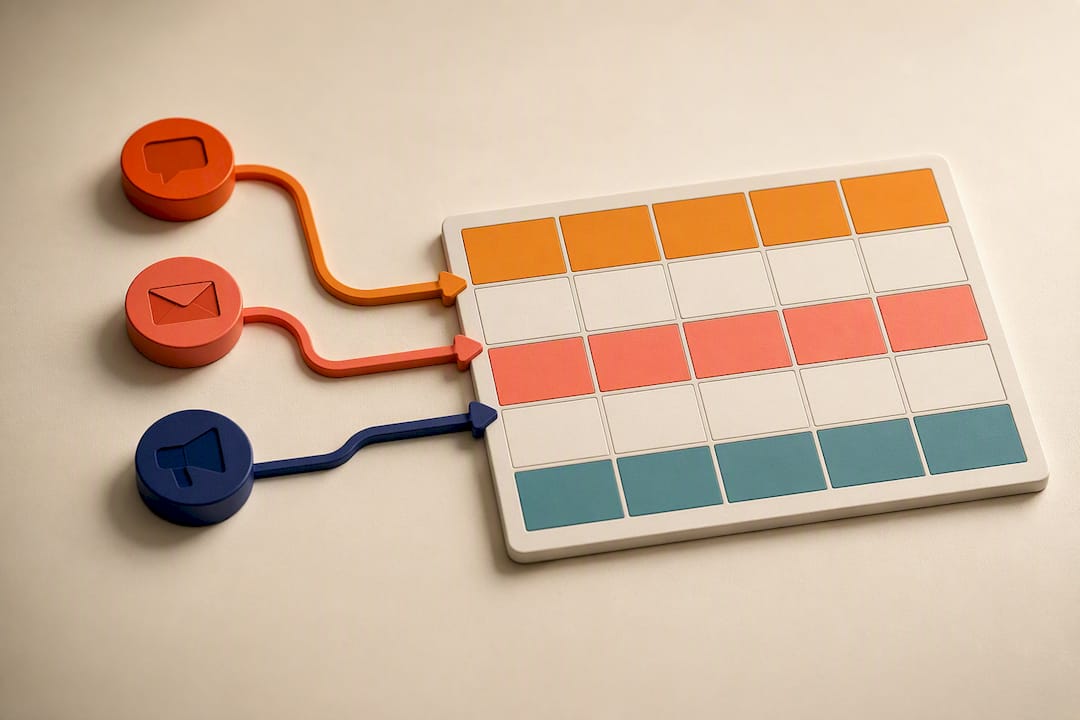
The tagging system is where most artists lose the plot. Without a unique UTM parameter on every placement, you cannot tell your bio traffic from your story traffic, and that means you’re flying blind on which channel actually drives streams. Use a consistent structure: utm_source (instagram, tiktok, email), utm_medium (bio, story, caption, qr), utm_campaign (your release name), and utm_content (which specific creative or post). If you’re running paid ads on top of this, layer your ad platform’s pixel tracking alongside the UTM string rather than replacing it. Before release week, double check your custom domain’s DNS and HTTPS certificate. A broken redirect on launch day is a self-inflicted wound.
Pro Tip: Keep a simple spreadsheet mapping every UTM combination to where you posted it. It takes five minutes and saves you from guessing later what “ig_story_1” was supposed to mean.
Pre-Save vs. Smart Link: When to Switch
Pre-saves and smart links do different jobs. A pre-save captures intent before release, signaling early momentum to streaming algorithms. A smart link removes friction after release, getting listeners into the song as fast as possible.
The rule of thumb is straightforward:
- Pre-release: promote the pre-save version of your link across every channel.
- Release day: flip the same URL to its live streaming state and shift all promotion toward “Listen Now.”
- Ongoing: pre-saves and smart links work as a pair, not substitutes, so using the wrong one at the wrong stage quietly kills momentum.
If your tool supports auto-flip, set it and verify it fires exactly at midnight release time, not hours later.
What to Track and How to Read the Numbers
Smart-link analytics are only useful if you’re watching the right five things: clicks by source, which platform fans actually choose, conversion rate to your target action (a stream, an email signup, a merch sale), and cost per useful action if you’re running ads.
Reconciling smart-link data with your DSP dashboard and ad platform takes a little patience. Your smart-link tool tells you clicks and platform choice. Spotify for Artists or Apple Music for Artists tells you actual stream counts. Your ad platform tells you spend and impressions. None of the three agree perfectly, and that’s normal. What matters is the pattern across all three, not any single number in isolation.
A smart link’s true test is continuation: does a visitor listen, then scroll to merch or an email form, or do they bounce after the first click? Weak conversion usually traces back to one of three things:
- Low overall conversion: your hero CTA or artwork isn’t clear enough, or the page loads slowly.
- Heavy platform skew toward one DSP: check whether that platform’s redirect is broken for other services.
- Weak share performance: the creative you’re posting doesn’t match what fans expect when they land on the page.
Quick gut check: if your bio link is converting well but your story links aren’t, the problem usually isn’t the smart link itself. It’s the creative or the CTA copy sitting in front of it.
The Mistakes That Wreck a Release Day
Most smart-link problems are small and preventable, which is exactly why they’re so common.
- Reusing the same UTM across multiple channels. Fix it by assigning one unique combination per placement before you post anything, not after.
- Leaving the pre-save version live after release. This dead-ends new listeners who click expecting to stream. Fix it by manually flipping the page or confirming your tool’s auto-flip fired correctly.
- Dropping raw DSP links into your bio instead of your smart link. This kills your ability to track anything. Fix it by replacing every bare Spotify or Apple Music URL with your canonical smart link.
- Ignoring custom-domain DNS and HTTPS configuration until launch morning. Fix it by testing the full redirect chain at least 48 hours ahead.
Pro Tip: Screenshot your smart-link dashboard the morning of release and again 48 hours later. Comparing the two tells you more about what worked than staring at real-time numbers ever will.
How UpNComer Fits This Workflow
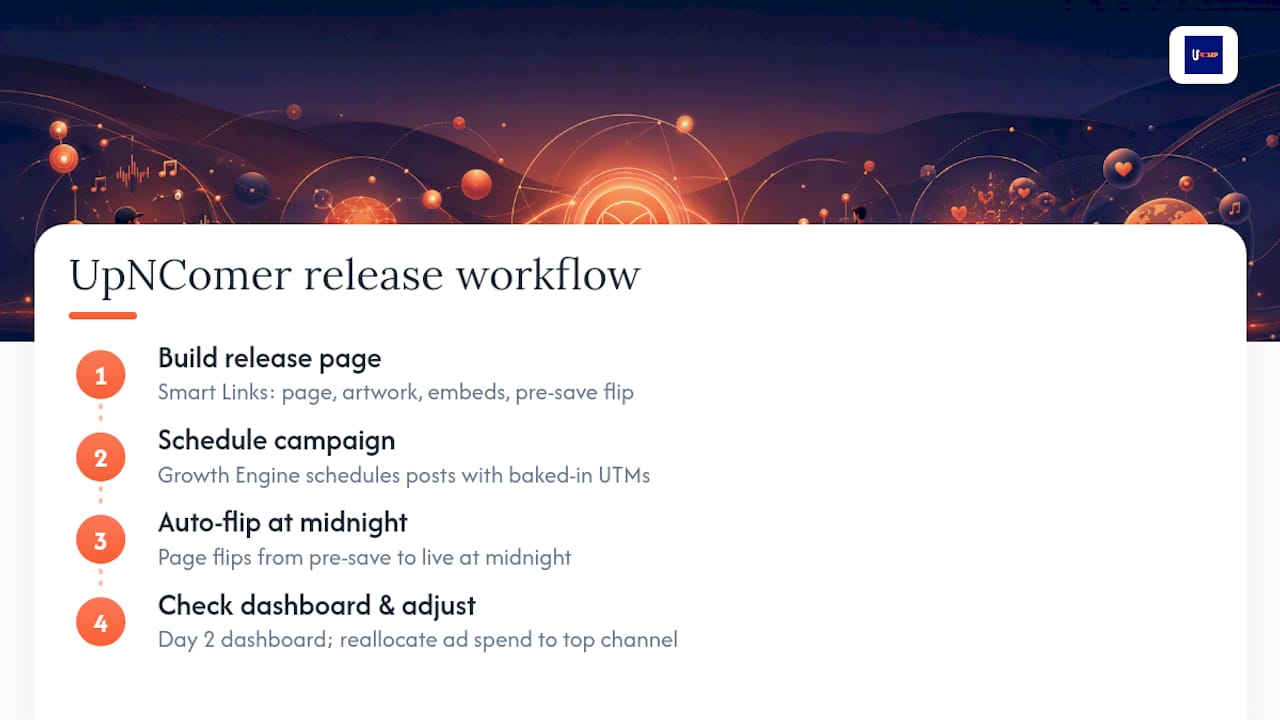
UpNComer builds this entire sequence into one connected system instead of five disconnected tabs. The Smart Links module inside Distribution handles the release page itself, artwork, embeds, and the pre-save-to-live flip. Growth Engine schedules your bio, story, and caption posts with UTM tagging baked in, so you’re not manually rebuilding tracking strings for every post. Amplitude AI flags which creative and channel combinations are underperforming before you’ve burned through ad budget guessing. Data Analyst pulls your smart-link clicks, DSP numbers, and ad spend into one dashboard instead of three browser tabs.
A typical flow looks like this: build the release page, schedule the campaign with UTMs attached, let the page auto-flip at midnight, then check the dashboard on day two and shift ad spend toward whatever channel is converting best. Readers can find deeper walkthroughs and feature updates on the community updates page.
Why the Boring Habit Wins
Most artists overthink the design and underthink the discipline. A slightly plainer smart link with clean, consistent UTM tagging beats a beautiful one where every click looks identical in your analytics. Treat the link itself as release infrastructure, not decoration you slap together the night before. That habit doesn’t just help one single. It compounds across every release, every year, until your data actually tells a story worth reading.
— Karan
Try Building Your Next Release Page With UpNComer
This system replaces the patchwork of a separate smart-link tool, a separate UTM spreadsheet, and a separate analytics dashboard with one integrated system built specifically for independent release campaigns, offering branded smart links that auto-flip from pre-save to live, UTM-friendly sharing baked into scheduling, and unified analytics pulling DSP, ad, and click data into one view.

If you’re prepping a release right now, start by building your release page inside Distribution and setting up the pre-save-to-live flip before you post a single link. And if you want to see how other independent artists are using the platform’s newer features, the community updates page is worth a look before you lock your campaign timeline.
Sources
The guidance in this piece draws on operational breakdowns of pre-save versus smart-link timing from SymDistro’s support docs, smart-link mechanics and mode differences from InterSpace Music, UTM tagging discipline from Michigan Tech’s webmaster blog, and smart-link page design from MusicBizQR. Artists exploring campaign collaborations or sync opportunities alongside their release may also find licensing resources from We Are Minim useful for a broader monetization angle.
- Pre-order vs Pre-save vs Smart link – SymDistro support
- What is a Smart Link? One URL to Every Streaming Platform — InterSpace Music
- Putting UTM tracking into practice — Michigan Tech Webmaster Blog
FAQ
What Is a Smart Link in Music Marketing?
A smart link is a single URL that detects a fan’s device or location and either redirects them to their preferred streaming platform or shows a branded landing page with DSP buttons, embeds, and calls to action.
How Do Smart Links Differ From Pre-Save Links?
Pre-saves capture listener intent before a release goes live, while smart links remove friction and drive immediate playback after release; most workflows use the same URL and flip it from one mode to the other on release day.
What Should I Track on a Smart Link?
Track clicks by source, which platform fans choose, conversion rate to a target action like streaming or email signup, and cost per useful action if you’re running paid promotion.
Do I Need a Different UTM for Every Placement?
Yes. A unique UTM combination for your bio, story, caption, and email placements is the only way to tell which channel is actually driving meaningful engagement.
Can UpNComer Build My Smart Link Page?
Yes, UpNComer’s Distribution module includes a smart-links feature that handles page creation, the pre-save-to-live flip, and connects to unified analytics through Data Analyst.