Run Releases Like a Factory: An Artist OS for Independent Artists
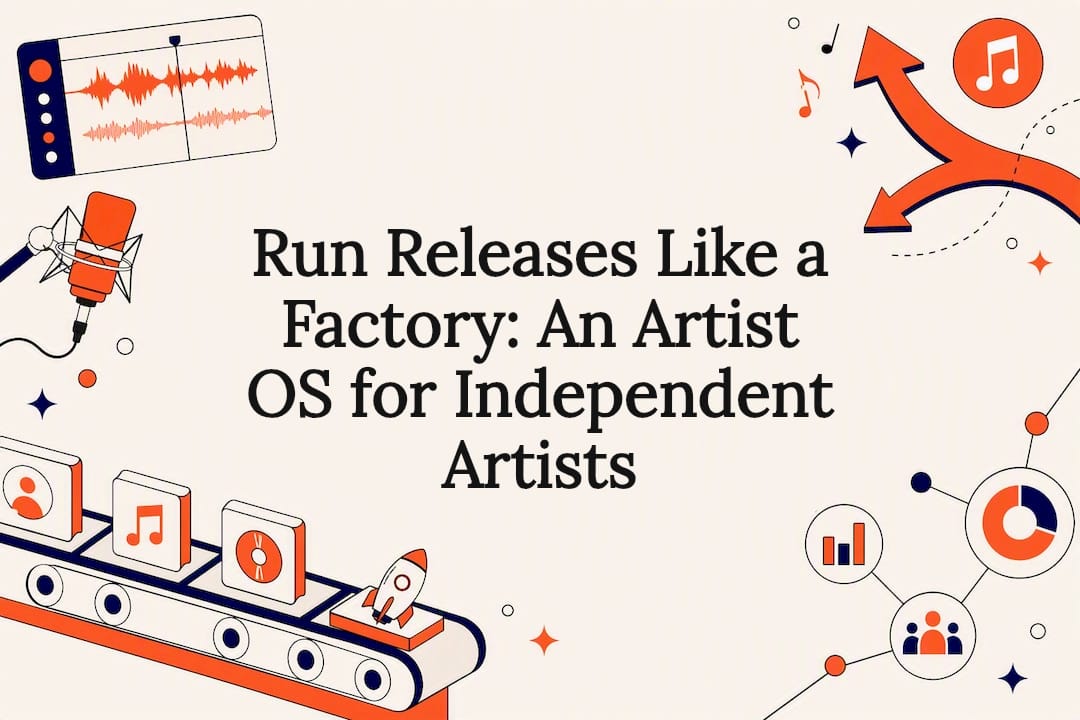
An operating system for independent artists is a connected digital infrastructure linking release planning, distribution, marketing, analytics, and fan engagement into one working system instead of ten disconnected apps. The primary payoff is fewer missed deadlines and less time lost to manual busywork. This guide breaks down the core components, the workflows that make an OS actually useful, how to evaluate one, and a realistic timeline to get set up.
TL;DR:
- An artist operating system enables seamless data flow between release planning, distribution, analytics, fan engagement, and marketing, reducing manual work and missed deadlines.
- Core modules should include shared calendars, distribution pipelines, real-time analytics, fan CRM, content scheduling, campaign management, and asset control, with optional features like AI mastering and advanced segmentation.
- Automation of three loops—the release cycle, audience growth signals, and fan conversion—minimizes administrative errors and frees artists’ time for creative work.
- Evaluation criteria must cover integrations, workflow templates, automation, collaboration permissions, data ownership, and device flexibility, with cautionary flags to avoid data silos and hidden fees.
- For a phased migration, start with core components like release planning, distribution, and CRM, testing each step over several weeks, and connect royalty and payout data for full revenue visibility.
Table of Contents
- What an Artist Operating System Is (and Why Tool Sprawl Is Killing Your Releases)
- Core Components Every Artist Operating System Needs
- How an Artist OS Works: Three Loops That Do the Heavy Lifting
- How Do You Evaluate an Operating System for Your Career?
- Getting Started: A 6-Week Rollout Checklist
- Connecting Your OS to Royalty Tracking and Invoicing
- Security and Data Privacy in an Artist Operating System
- Customizing Your OS for Your Genre and Career Stage
- Systems Over Hustle: Why the Long Game Wins
- How UpNComer Brings This Together
- Sources
- FAQ
What an Artist Operating System Is (and Why Tool Sprawl Is Killing Your Releases)
Think of an artist operating system as a factory, not a toolbox. A toolbox holds separate instruments you pick up one at a time. A factory moves your music through a line: writing to mixing, mixing to distribution, distribution to marketing, marketing to fan data, and back around again for the next release. Most independent artists are still running the toolbox model. A note app for release dates, a spreadsheet for streaming numbers, a separate CRM tool for emails, and a group chat for the publicist. Nothing talks to anything else.
That fragmentation has a real cost. A single release typically requires coordinating 5 to 10 collaborators across 6 or more platforms over a 6 to 8 week window, which is a lot of moving parts to track by memory and spreadsheet. Miss one editorial pitch deadline because the release date lived in a text thread instead of a shared timeline, and that placement opportunity is gone for good; playlist editors and blog curators rarely offer a second window.
An operating system fixes this by making data and actions flow automatically between stages:
- Your streaming numbers feed directly into campaign decisions instead of getting manually copied into a report.
- Your release date triggers pitch reminders instead of relying on your own memory.
- Your fan signups route into a nurture sequence instead of sitting in an unused spreadsheet tab.
Core Components Every Artist Operating System Needs
Not every platform calling itself an “artist OS” actually covers the full stack. Here’s what belongs in a real one, split by priority.
Essential modules:
- Release planning and timelines — a shared calendar that tracks mastering deadlines, artwork approval, and distribution windows in one place.
- Distribution — the pipeline that actually gets your music onto DSPs with the right metadata and release date.
- Streaming analytics — real-time visibility into which songs, playlists, and regions are driving growth.
- Fan CRM and engagement — a database of who your fans are, not just how many followers you have.
- Content calendar — scheduling for social and promotional content tied to your release timeline.
- Campaign and ad management — the system running your paid promotion, ideally connected to the same audience data.
- Asset and version control — one source of truth for final masters, artwork files, and approved copy, so nobody uploads the wrong version.
- Playlist and press pitching — a structured way to reach curators and editorial contacts instead of cold emailing from memory.
Optional but valuable additions: AI-assisted mastering, smart links that consolidate every streaming platform into one URL, automated playlist pitching, and advanced audience segmentation that splits superfans from casual listeners.
Pro Tip: Rank these components by which one is currently costing you the most time or money, then adopt an OS that covers that pain point first. Chasing every feature at once is how migrations stall out.
How an Artist OS Works: Three Loops That Do the Heavy Lifting
A loop is simple: a trigger sets off a series of actions, and the output of that sequence feeds directly into the next loop. That repeatability is what separates a real system from a stack of apps that happen to be open in the same browser window.
- The release loop. A locked release date triggers asset finalization, which triggers the distributor upload, which triggers campaign scheduling. Once the track is live, streaming and playlist data feed straight back into planning for the next release.
- The audience loop. Publishing content generates an audience signal (saves, shares, watch time). That signal informs a targeted ad or campaign, which produces growth metrics, which shape what content gets made next.
- The fan conversion loop. A CRM capture, from a smart link signup or merch purchase, triggers a nurture sequence. That sequence leads to a direct offer, whether a new single, a vinyl drop, or a tour date, and the resulting revenue gets tracked automatically.
Manual handoffs between apps are where administrative debt piles up, and a wrong file version on a distributor can take days to correct once it’s live. Automating these three loops removes the single points of failure that cost artists their timing, and it frees up studio hours that used to go toward spreadsheet maintenance instead of writing.
How Do You Evaluate an Operating System for Your Career?
Not every platform marketed as an artist OS earns the name. Run any candidate through these criteria before committing.
- Integrations and data exportability. Can you pull your full catalog and audience data out if you ever leave?
- Workflow templates. Does it come with a release timeline template, or are you building one from scratch?
- Automation rules. Do streaming numbers and fan signups trigger actions automatically, or do you still copy and paste?
- Collaboration controls. Can your manager, publicist, and mastering engineer all work inside the same system with appropriate permissions?
- Analytics depth. Does it show audience behavior, or just raw stream counts?
- Pricing and royalty handling. Is the fee structure clear, and does distribution take a royalty cut or charge a flat fee?
- Data ownership. Do you legally own your audience and streaming data, or does the platform?
During any demo, ask directly: “How does streaming data flow into my campaigns?” “Can I export all my audience data right now?” “How are file versions and approvals tracked?” A cross-device workflow also matters here. The way Procreate lets creators start work on an iPad and finish on desktop is the same principle you want from a music OS: your work should follow you, not lock to one device.
Pro Tip: Watch for these red flags during a trial: closed data silos with no export option, vague terms about who owns your audience list, no visible version history on assets, and hidden fees that only appear after you’ve already migrated your catalog.
Getting Started: A 6-Week Rollout Checklist
Migrating your entire catalog at once is how rollouts fail. A staged approach, tested on a single release first, works better.
- Week 1: Audit every tool and account you currently use. List every critical integration (DSPs, socials, email) you can’t afford to lose.
- Week 2: Pick your top priorities from the component list above and build your release timeline inside the new system.
- Weeks 3 to 4: Migrate distribution and analytics first, then configure your fan CRM and set up your first campaign.
- Week 5: Run one release through the full flow end to end to confirm the loops actually connect before committing your whole catalog.
- Week 6: Document what worked, adjust the templates, and repeat for your next release.
Solo artists should enable release planning, distribution, and CRM first; add campaign and content tools once that foundation holds. Teams with a manager or publicist should turn on collaboration controls from day one. Import your existing fan list as a CSV instead of rebuilding it by hand, and use built-in templates rather than designing a workflow from scratch.
Connecting Your OS to Royalty Tracking and Invoicing
Money is the part of the artist business most likely to live in scattered spreadsheets, and it’s usually the most expensive place for tool sprawl to hide. Royalty statements arrive from your distributor, PRO, and any sync placements on different schedules and in different formats, which makes reconciling actual income painful without a system built to catch it.
A functioning artist operating system should route distribution royalties into the same dashboard where you track streaming performance, so you can see which releases are actually profitable rather than just popular. That matters more than it sounds. A song with strong stream counts on a low per-stream payout territory can earn less than a smaller release with better sync placements or direct merch sales tied to it.
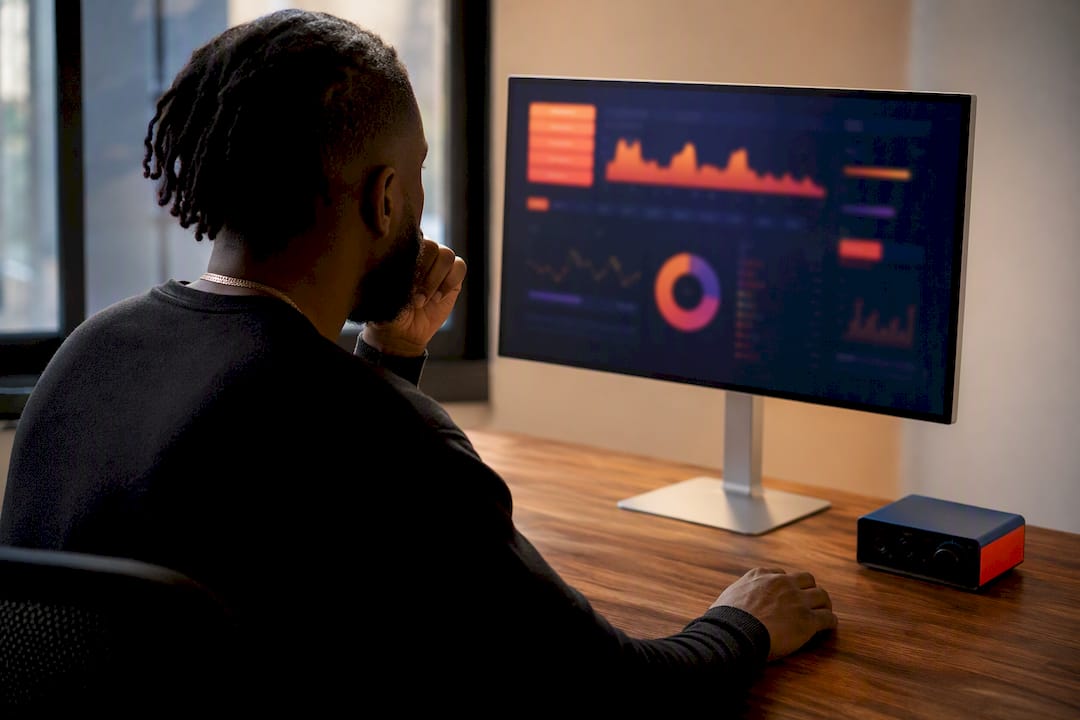
Invoicing matters just as much once you’re working with collaborators, whether that’s a mixing engineer, a publicist, or a session musician taking a percentage. An OS that tracks contributor splits alongside your revenue keeps you from manually calculating who’s owed what after every release, which is exactly the kind of repetitive task that eats a Tuesday afternoon and produces nothing creative. The goal isn’t just visibility into revenue. It’s a system where royalty data, campaign spend, and payout obligations sit in one connected view instead of three separate inboxes.
Security and Data Privacy in an Artist Operating System
Your fan data is one of the most valuable assets you own, arguably more valuable long term than any single master recording, because it compounds with every release. That makes security a real consideration, not an afterthought you check once during signup.
Look for standard account protections: two-factor authentication, encrypted storage, and clear policies on who inside a platform can access your audience data. Beyond account security, pay attention to data ownership terms specifically. A platform that lets you export your full fan list and streaming history at any time is fundamentally different from one that holds that data hostage as a retention tactic.
Financial data adds another layer worth checking. If royalty payouts and campaign ad spend run through the same platform, confirm how payment information is stored and whether the platform is transparent about any third-party processors involved. This isn’t about assuming bad intent from any provider. It’s about treating your catalog and audience the way you’d treat any other business asset: with a clear paper trail and a clear exit path if you ever need one.
Customizing Your OS for Your Genre and Career Stage
A hyperpop artist building a fan base entirely through short-form video content needs a very different setup than a jazz trio building slowly through festival bookings and email lists. The components stay the same. The priority order changes completely.
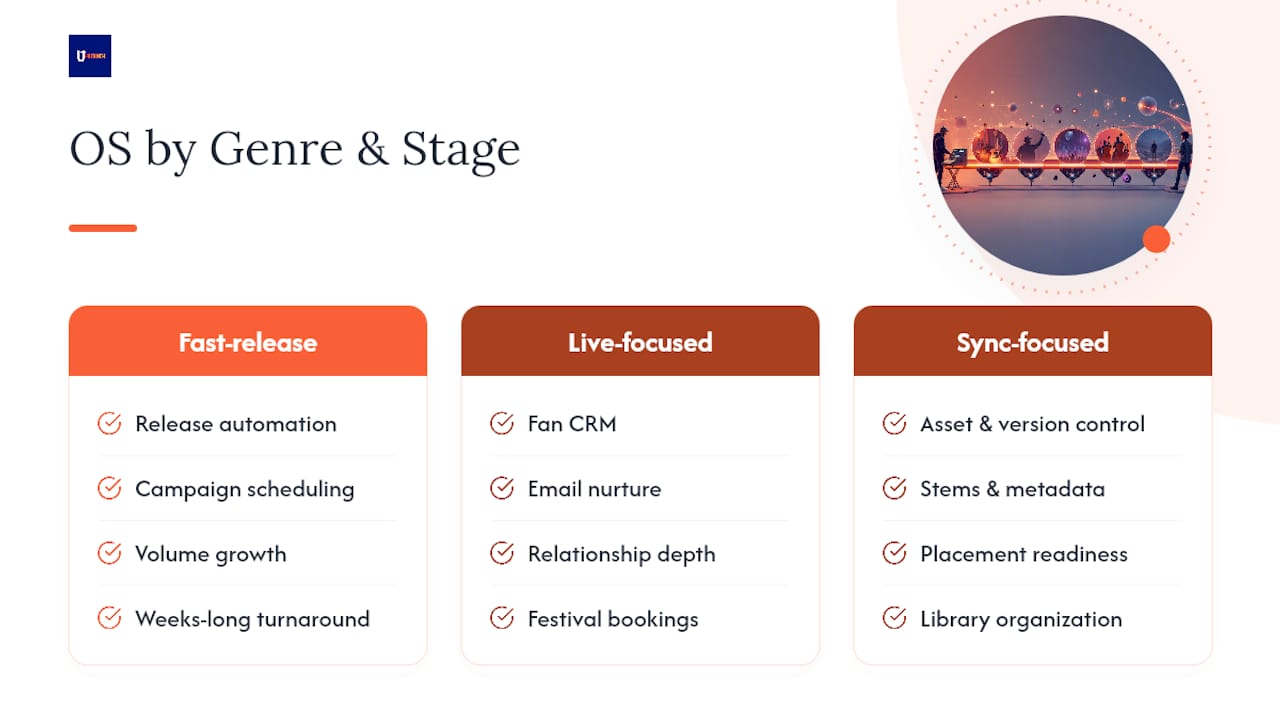
For genres with fast release cycles (hip hop, electronic, pop), automation on the release and distribution loop matters most. You need a system that can turn around a single in weeks, not months, with campaign scheduling that keeps pace with your upload frequency.
For genres built on live performance and slower catalog growth (jazz, folk, singer-songwriter, classical), fan CRM and email nurture sequences deserve more weight than paid ad automation. Your growth engine is relationship depth with fewer fans, not volume.
For artists focused on sync and licensing income, asset and version control becomes the priority, since supervisors need clean stems and metadata fast, and a disorganized asset library kills placement opportunities before they start.
Set your modules up around the actual bottleneck in your specific career, not around what a generic checklist says every artist needs on day one.
Systems Over Hustle: Why the Long Game Wins
The independent artists who last aren’t the ones grinding hardest; they’re the ones who stopped losing ground to preventable mistakes. A missed upload window or a lost pitch deadline doesn’t just cost one release, it compounds against every release after it. [Karan] has watched this pattern repeat across the independent music space for years: artists mistake more effort for more structure, when what actually moves careers forward is fewer dropped balls, not more hours in the studio.
— Karan
How UpNComer Brings This Together
UpNComer is built around exactly the components this guide just walked through, so you’re not stitching together five separate subscriptions to cover release planning, distribution, and fan engagement.

Growth Engine and Amplitude AI handle the campaign and audience-signal loops, turning your streaming data into targeted ad decisions instead of guesswork. Artist Manager and Data Analyst cover release timelines and streaming analytics in one dashboard, so you’re not toggling between a spreadsheet and three separate DSP portals. UrStudio covers AI mastering, Content Creator handles your publishing calendar, Publicist manages playlist and press pitching, and ProfessorU gives you the educational grounding to actually use all of it well.
If you’ve been running your career on five disconnected tools and a prayer, UpNComer’s distribution module is a practical place to start consolidating. Check it out and see how your next release could run through one connected system instead of ten open tabs.
Sources
For deeper implementation guidance, see UpNComer’s posts on audience data strategy, organizing fan data, and release automation. For broader creator workflow context, Vain New York’s production guide is worth a read.
- Independent Artists Need an Operating System, Not Another ‘Tool’ — Hypebot
- Procreate — Creative apps designed for iPad
FAQ
What Is the Best Platform for Independent Artists?
The best platform depends on which bottleneck costs you the most, but the strongest options connect distribution, analytics, and fan engagement in one system rather than requiring separate subscriptions for each function.
What Software Do Most Artists Use?
Most independent artists still rely on a patchwork of separate tools for distribution, social scheduling, and spreadsheets for tracking royalties, which is exactly the fragmentation an operating system is designed to replace.
What Is the 35-Year Rule in Music?
Definitions vary by context and jurisdiction, and this isn’t a term with one universal industry meaning, so check the specific contract, publishing agreement, or royalty policy in question rather than assuming a fixed rule applies.
What Computer Is Best for Artists?
The right computer depends on your workflow. Producers doing heavy audio production typically prioritize RAM and processing power, while artists focused on marketing and analytics can run most operating system platforms from a standard laptop, since the heavy processing happens on the platform’s servers, not your machine.