Measurement First Mastering: 3–5 Reference Tracks for Indie Artists

Article image

Yes, use reference tracks in mastering. Pick 3 to 5 genre-appropriate, high-quality references, loudness-match them to your master, run them through objective metering (LUFS, true peak, tonal balance), and A/B while making targeted tonal and dynamic adjustments. Reference tracks aren’t templates to copy note-for-note. They’re objective anchors that keep your ears honest when a room, a monitor, or a long session starts lying to you.


TL;DR:

  • Using 3 to 5 genre-appropriate reference tracks helps establish a clear tonal and loudness target, avoiding reliance on a single outlier.
  • Match reference tracks to your project by genre, release year, and arrangement density, and use lossless files or tonal capture tools for accuracy.
  • Level-match all tracks based on LUFS before making tonal judgments, and record loudness and peak measurements to prevent bias during adjustments.
  • Run a tonal balance analysis and make minor, measurable tweaks of 2 LU or less, rechecking references after each processed change.
  • Incorporating a structured workflow with dedicated plugins and logging helps prevent common referencing mistakes and aligns your master with real-world playback.

UpNComer
upncomer.co
Bring Your Mastering Workflow Together
UpNComer combines AI mastering, streaming analytics, audience insights, and release tools in one ecosystem for independent artists.
Explore UpNComer

Table of Contents

What Are Reference Tracks in Mastering, and Why Do They Matter?

A reference track is a commercially released, professionally mastered song that represents the tonal balance, loudness, and punch you’re aiming for. Engineers pull them into the mastering session not to imitate the arrangement, but to check whether their own low end, high end, and dynamics sit in the same neighborhood as records that already work on real playback systems.

This matters because human hearing drifts. After three hours staring at the same waveform, your ears adapt to whatever coloration you’ve introduced, and you lose the ability to judge it objectively. A reference track resets that baseline every time you press play on it. It’s a second opinion that never gets tired.

The practice isn’t new, but the tools have gotten sharper. iZotope’s guidance describes a reference track as a stand-in for “how you want your music to sound,” and recommends using multiple references at different stages of a session rather than locking onto one song for the entire master. mastering.to goes further, calling a trusted reference “the most reliable thing in mastering,” and pointing out that using 3 to 5 tracks lets you find a genre cluster instead of chasing a single outlier.

How choosing appropriate reference tracks actually works

Picking references for mastering is different from picking references for mixing. In mixing, you’re often checking balance decisions early. In mastering, you’re checking finished, commercially released products, which means the bar for quality and relevance is higher.

Match genre and era first. A trap single from last year won’t tell you anything useful about how your synth pop should sit. Aim for tracks released within roughly 3 to 5 years of your project in the same subgenre. Sonic trends shift fast. What sounded “big” five years ago can sound thin or over-compressed today.

Match mix density. A sparse acoustic record and a wall-of-sound rock mix respond to loudness and EQ very differently. If your song has a dense arrangement, reference something equally dense. Comparing a minimal ballad to a maximal pop chorus will send you chasing problems that don’t exist.

Here’s what to check off before you commit to a reference set:

  • Genre and subgenre match, not just a loose stylistic cousin
  • Release within a 3 to 5 year window of your own project
  • Similar arrangement density and instrumentation
  • Production style alignment (analog warmth vs. digital brightness, for example)
  • Tracks you already know well across multiple systems, not novelty picks or outliers

Favor songs you’ve heard in the car, on earbuds, and on a decent speaker. Familiarity is part of what makes a reference useful. Avoid using a single viral hit as your only reference. It might be mixed unusually loud, unusually bright, or mastered for a specific playlist algorithm rather than general listening.

Source quality matters too. Lossless files (WAV, FLAC, or AIFF) preserve the tonal detail you need for accurate comparison. If lossless isn’t available and you’re stuck with a streaming rip, capture the tonal curve with a tool built for that job rather than trusting your ears against a compressed file. iZotope’s Audiolens can pull tonal balance targets straight from streaming sources, which solves the access problem without sacrificing accuracy.

Article image

How Do You Prep Files and Level-Match Before Comparing?

Level-matching comes before any tonal judgment, full stop. A track that’s louder will almost always sound “better” in a quick A/B, even if it’s actually worse. That’s not a matter of taste. It’s a documented bias in how human hearing responds to loudness, and it’s the single most common way engineers fool themselves during a reference session.

Start by exporting a lossless stereo bounce of your current mix or master, then import your references into the same session at the same sample rate. Everything needs to live in one place so you’re comparing apples to apples, not toggling between two different pieces of software with two different clocks.

From there, the process breaks down into four concrete steps:

  1. Measure integrated LUFS on every file, including your master and each reference. Use a metering plugin like iZotope Insight, Waves WLM, or Mastering the Mix’s Dynameter to get consistent readings.
  2. Level-match everything to the same perceived loudness before you judge brightness, punch, or low end. A gain trim, not a limiter, is the right tool here. You’re not mastering yet, just neutralizing volume as a variable.
  3. Set your monitoring level and stick to it. Calibrate your room to roughly 75 to 85 dB SPL depending on room size and speaker sensitivity, per the kind of practical guidance iZotope gives for mix referencing sessions. Consistent SPL keeps your ear from overreacting to bass at low volumes or fatiguing at high ones.
  4. Log your numbers. Write down integrated LUFS, true peak, and dynamic range for your master and for each reference before you touch another plug-in.

Pro Tip: Re-check your levels after every processing change, not just at the start. A single EQ boost or limiter adjustment can shift your integrated LUFS by half a decibel or more, quietly reintroducing the loudness bias you just eliminated.

True peak matters just as much as integrated loudness. Keep your master under -1 dBTP during mastering to leave headroom for lossy encoding on streaming platforms, which can create peaks above 0 dBFS during the conversion process. If you’re finishing a track bound for Spotify or similar services, this guide on mastering for streaming platforms walks through the specific delivery targets worth hitting.

Documentation isn’t busywork. AES-affiliated guidance for professionals recommends logging loudness and true peak figures after every mix and master pass, because these numbers catch problems your ears miss after a long session, especially fatigue-driven overcompression.

Article image

What Is the Step-by-Step Workflow for Using Reference Tracks in a Mastering Session?

A repeatable workflow keeps referencing from turning into an endless loop of second-guessing. Here’s the session structure that holds up across genres:

  1. Set up gain staging first. Import your final mix at unity gain into your mastering chain, with no processing yet. This gives you a clean starting point and an honest read on where the mix actually sits.
  2. Import your 3 to 5 references as lossless files into the same session, on their own tracks or in a dedicated referencing plugin.
  3. Level-match everything using the LUFS process from the previous section. Do not skip this step even if you’re in a hurry. It’s the step most likely to save you from a wrong decision.
  4. Run a tonal balance analysis. Tools like iZotope’s Tonal Balance Control overlay your master’s frequency curve against a target derived from your references, making gaps in low end, midrange, or high end visible rather than just audible.
  5. Make surgical adjustments. Address only the frequency ranges or dynamic behaviors that show a meaningful gap. mastering.to’s practical threshold is useful here: treat differences of 2 LU or more as meaningful, and don’t chase smaller gaps that are likely inaudible anyway.
  6. Re-check against references after each move. EQ and compression interact. A boost at 100 Hz can change how your references sound relative to your master even though you didn’t touch the references at all, because your perception shifted.
  7. Apply final limiting with true-peak protection. Push loudness only as far as the song’s dynamics can tolerate, watching your true peak ceiling the entire time.
  8. Verify across multiple systems. Bounce a check mix and listen on studio monitors, headphones, a phone speaker, and in a car. The car test in particular reveals midrange and low end problems that treated rooms hide.
  9. Log your final numbers. Integrated LUFS, true peak, and dynamic range go into your session notes before delivery, both for your own records and for the client.

Dedicated referencing plugins remove a lot of friction from steps 3 through 6. Avid’s guidance on reference workflows notes that plugins can automate level-matching and provide spectral, width, and punch displays side by side with your master, which turns what used to be a manual toggle-and-guess process into something closer to a controlled experiment.

What Mistakes Do Engineers Make With Reference Tracks?

Most referencing mistakes come from skipping a step that feels optional in the moment but isn’t.

  • Relying on a single reference. One track can be an outlier in loudness, tonal balance, or arrangement choices that have nothing to do with good mastering. Build a set of 3 to 5 tracks and look for where they cluster, not where any one of them sits.
  • Judging tone before matching level. A louder file always sounds brighter and punchier in a quick comparison, even when it isn’t. Level-match first, every time, with no exceptions for time pressure.
  • Chasing arrangement instead of mastering signature. If your reference has a fuller chorus because of extra guitar layers, that’s a mix decision, not a mastering one. Focus your comparison on tonal balance, loudness, and dynamic range, the things mastering actually controls.
  • Using low-quality files for low-end decisions. A heavily compressed MP3 rip can misrepresent bass response badly enough to send you the wrong direction on a low shelf. Use lossless sources, or capture the tonal curve with a dedicated tool if lossless isn’t available.
  • Never re-checking after processing. Referencing isn’t a one-time step at the start of a session. Ears adapt fast, and a gap that looked closed after your first EQ move can reopen after your limiter settings change.

The fix for nearly all of these is the same: treat referencing as a recurring checkpoint throughout the session, not a single glance before you start.

Which Tools and Plugins Help You Reference Accurately?

Different tools solve different parts of the referencing problem, and knowing which one to reach for saves time.

  • iZotope Tonal Balance Control compares your master’s frequency curve against a target derived from your references or from genre presets, and pairs with Ozone’s Master Assistant to suggest starting points based on that analysis. It’s strongest for spotting broad tonal gaps fast, and its newer Vocal Balance, Dynamics, and Stereo Width meters add sense-checking beyond simple frequency matching.
  • Metric AB and Reference (Mastering the Mix) are dedicated A/B plugins built specifically for loading multiple references, level-matching them automatically, and switching between them instantly during a session without breaking your monitoring chain.
  • Audiolens captures tonal balance curves directly from streaming sources, which matters when your ideal reference isn’t available as a purchasable lossless file. It gives you a usable target curve without needing the original master file.
  • LUFS and true-peak meters like Insight, WLM, or Dynameter aren’t optional extras. They’re the instruments that make every step above verifiable instead of subjective.

In-DAW track referencing (just importing references onto session tracks) works fine for quick checks, but it puts the level-matching and analysis burden entirely on you. Dedicated plugins automate the parts most prone to human error, which is exactly where mistakes tend to creep in during long sessions.

Why Do Loudness Normalization and Reference Distributions Matter?

Streaming platforms normalize playback loudness, which changes how your mastering decisions land once a track goes live. AES guidance on loudness makes a point worth sitting with: listeners consistently prefer hearing tracks at their intended relative levels rather than having every song forced to an identical volume. That’s the whole argument for album-level normalization over track-by-track leveling, and it’s why blindly maximizing loudness on a single song can undercut how an album is meant to flow.

This is also the argument for using a distribution of references instead of one. mastering.to’s approach, looking at the mean and spread of LUFS and spectral center across several tracks, gives you a genre-typical target rather than a single arbitrary point.

The most reliable thing in mastering is a trusted reference, but the most reliable reference is a set of them. Look for where 3 to 5 comparable tracks cluster, not where any single one happens to sit.

Documentation ties it together. Logging LUFS and true peak after every pass isn’t paperwork for its own sake. It’s how you catch drift before a client does, and how the next engineer who touches the project (including you, six months later) understands what decisions were made and why. UpNComer’s educational resources through ProfessorU cover this kind of reference-informed, metering-first workflow for artists building their own mastering habits from scratch.

How Do You Adapt References Across Vinyl, Streaming, and Other Formats?

A reference track mastered for one format doesn’t automatically translate to another. Vinyl has physical constraints, tight low-end mono summing below roughly 100 to 150 Hz, and limits on how hot you can cut without groove distortion. A streaming-optimized reference with an aggressive low end can send you in the wrong direction if your own master is bound for vinyl.

Streaming platforms each apply their own loudness normalization, which means a reference mastered at a very hot integrated LUFS might get turned down significantly on playback while a moderately loud master barely changes. If you’re delivering primarily for streaming, reference tracks that were also released for streaming, not vinyl-only pressings or broadcast masters, which follow different loudness conventions entirely.

The practical fix is keeping format-specific reference sets rather than one universal list. Build a small streaming-focused set and, if the project calls for it, a separate vinyl-focused set pulled from records you know were cut for that medium. Compare your master against whichever set matches its actual delivery destination, and re-run your true-peak check specifically for that format’s tolerances.

When a single master needs to serve multiple formats, master for the most permissive target first (usually streaming), then create a dedicated pass with a lower ceiling and gentler top-end for vinyl. Trying to force one file to satisfy both formats’ references at once almost always means compromising one of them.

How Do You Fold Referencing Into Client Feedback and Revisions?

Client revisions get a lot smoother when your reference set is part of the conversation from the start, not just a tool you use quietly in the background.

Ask clients for reference tracks early, even loosely chosen ones. A client’s rough picks tell you a lot about the tonal territory they’re imagining, even when the tracks themselves aren’t perfect matches. You can then supplement with 2 or 3 more precisely matched references and explain the substitution.

When a client asks for a revision like “make it brighter” or “more like this other song,” translate that into your reference framework before touching a plug-in. Pull up the track they mentioned, level-match it, and check where it actually differs from your current master. Sometimes the request maps to a real, measurable gap. Sometimes the client is responding to a loudness difference rather than a tonal one, and level-matching the comparison resolves the note without any EQ changes at all.

Keep a running log of LUFS, true peak, and which references you used for each revision round. Tools built for project tracking, such as structured session and revision logs, keep this from turning into a mess of file versions with no record of what changed or why.

When Should You Override the Reference and Trust Your Ear?

References guide you, they don’t govern you. If a vintage tape saturation aesthetic, an unconventional low end, or the artist’s explicit creative direction calls for a deliberate departure from your reference cluster, that departure can be the right call.

The discipline is in the documentation. Note in your session file exactly where and why you diverged, whether it was for a specific timbral choice or an artist preference overriding the metrics. That note protects the decision for the client, and for whichever engineer opens the session next.

— Karan

Where UpNComer Fits Into Your Mastering Workflow

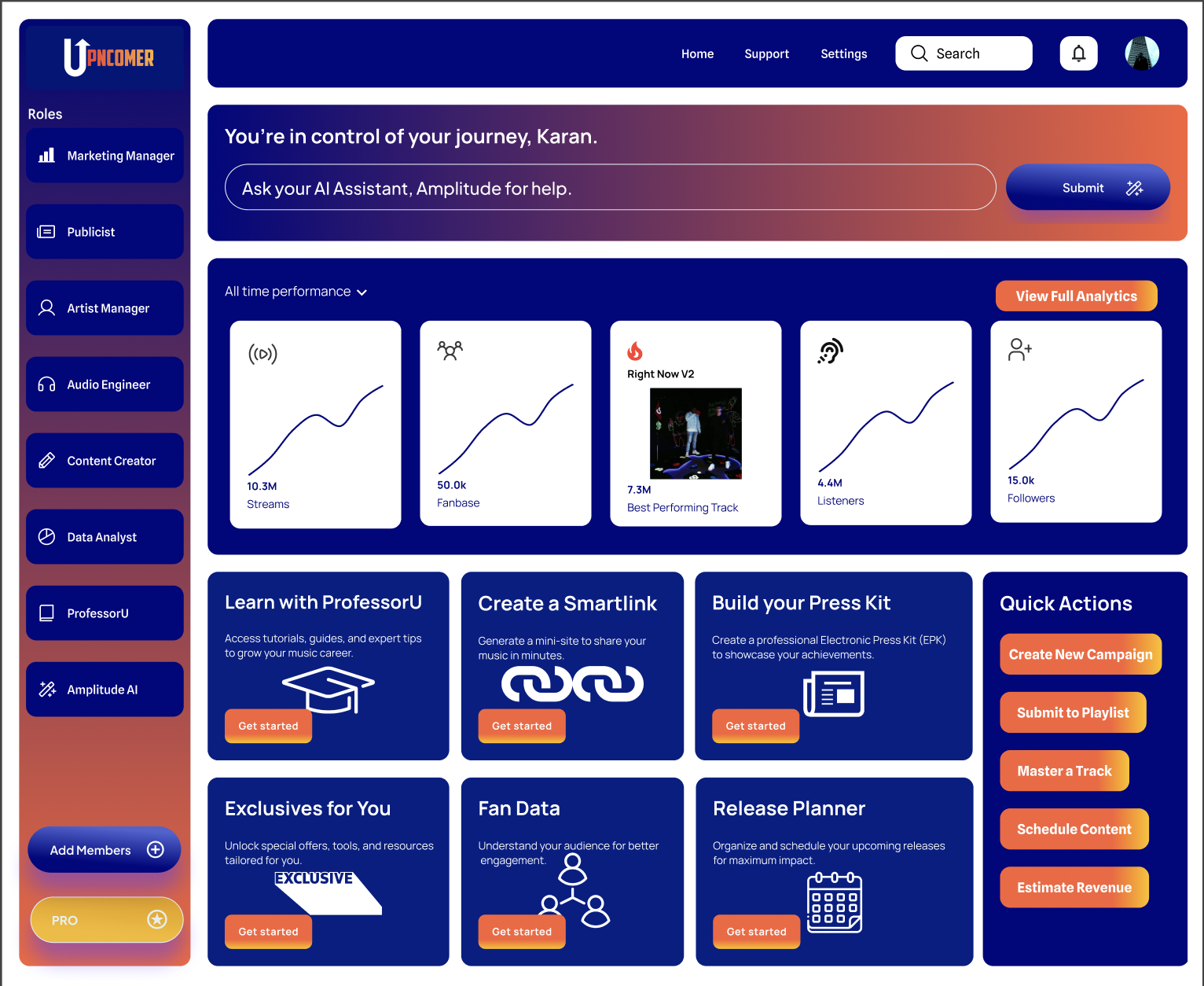
Building a reference-informed mastering workflow from scratch takes real time, and not every independent artist has the plugins, the room, or the hours to run the full checklist above on every release. The platform offers mastering services, giving artists a way to get objective, delivery-ready masters without assembling an entire metering and plugin chain first.

Article image

If you’ve got the ears, the room, and the time, DIY referencing with the workflow above will serve you well. But if you’re releasing on a deadline, mastering for multiple formats, or just want a second set of objective eyes on your loudness and tonal balance numbers, managed mastering solves the time and objectivity problem in one move. UpNComer pairs that mastering service with AI-assisted tools and ProfessorU’s educational content, so you can learn the reference-track discipline covered here while getting masters out the door on schedule. Plans start at $27 a month or $300 a year on the UpNComer Pro page, where mastering and mixing services are also listed. Check the pricing page to see which option fits your release schedule.

Sources

The biggest mistakes are judging brightness or punch before level-matching, relying on a single reference instead of a small cluster, and using compressed streaming rips for low-end decisions. mastering.to notes that gaps smaller than 2 LU often aren’t meaningful, so chasing tiny differences wastes time without improving the master.

FAQ

What Are Reference Tracks in Music Production?

A reference track is a professionally released, well-mastered song used as an objective comparison point during mixing or mastering. Engineers use it to check tonal balance, loudness, and dynamics against a proven result rather than relying on ears alone, and iZotope recommends using several references rather than just one.

How Do You Properly Use Reference Tracks in Mastering?

Choose 3 to 5 genre-matched, similarly dense tracks, then level-match them to your master using LUFS metering before judging any tonal differences. Run tonal balance analysis to spot real gaps, make targeted adjustments, and re-check against your references after every processing change.

Where Can You Get Free or Accessible Reference Tracks?

Lossless purchases from artist or label sites give the most accurate tonal detail, but capture tools like Audiolens can pull usable tonal balance curves directly from streaming sources when a lossless file isn’t available. This makes referencing accessible even without a lossless library.

Does UpNComer Offer Mastering Services for Independent Artists?

Yes, UpNComer offers Mastering and Mixing services alongside AI-assisted mastering tools and educational resources through ProfessorU. Pricing details are on the UpNComer Pro plans page, which lists mastering alongside the platform’s monthly and annual subscription options.

Ready to Build Your Music Empire?