What Is AI Mastering Audio? A Musician’s 2026 Guide
AI mastering audio is the automated process of applying professional mastering adjustments to a stereo mix through intelligent algorithms, producing a polished, streaming-ready master without human intervention. Tools like LANDR, SoundBoost, and OpenMusic AI have made this technology accessible to independent artists who previously needed to budget hundreds of dollars for a mastering engineer. The process covers EQ balancing, compression, stereo widening, limiting, and loudness normalization, all calibrated to meet streaming platform standards. For musicians releasing music on tight timelines or limited budgets, understanding how AI mastering works and where it falls short is one of the most practical skills you can develop in 2026.
What is AI mastering audio and how does it process your mix?
AI mastering audio is defined as an automated processing chain that analyzes your stereo mix against a database of professionally mastered reference tracks, then applies genre-aware adjustments to match target loudness and tonal standards. The system does not guess. It compares your mix to thousands of commercial masters and applies corrections based on statistical patterns in that data.
Here is how the typical AI mastering workflow breaks down step by step:
- Upload your stereo mix. You export your mix as a WAV or AIFF file, typically at 24-bit depth and 44.1 kHz or higher.
- Set your targets. You choose a loudness target (measured in LUFS), a genre style, or upload a reference track you want your master to sound like.
- The AI analyzes your mix. The algorithm scans frequency balance, dynamic range, stereo width, and peak levels, then compares those characteristics against its reference database.
- Processing chain runs automatically. EQ adjustments correct tonal imbalances, multiband compression controls dynamics, stereo enhancement widens the image, and a limiter brings the track to your loudness target without clipping.
- You receive streaming-ready exports. Most platforms deliver multiple format options, including MP3, WAV, and platform-specific masters optimized for Spotify, Apple Music, or YouTube.
Platforms like SoundBoost and OpenMusic AI go further by allowing text-based style prompts, so you can describe the sonic character you want rather than just selecting a genre preset. This is a meaningful step forward in customization for AI audio mastering.
Pro Tip: Always upload your mix at the highest bit depth and sample rate available. AI mastering engines work with more detail to make better decisions, and downsampling after mastering preserves more of the original quality.
Benefits of AI audio mastering for independent musicians
The clearest benefit of AI mastering is speed. A human mastering engineer typically takes one to five business days to return a master. AI mastering delivers results in minutes, sometimes seconds. For artists running release campaigns with tight social media windows or responding to trending moments, that turnaround is genuinely useful.
Here is where AI mastering gives independent artists a real advantage:
- Cost. Human mastering engineers charge anywhere from $50 to $300 per track for professional work. AI mastering platforms typically cost a fraction of that, with subscription models covering unlimited masters per month.
- Consistency. When you are mastering an EP or a batch of singles, AI applies the same processing logic across every track. Human engineers vary in approach, which can create subtle inconsistencies across a release.
- Streaming platform optimization. AI mastering targets platform loudness standards like Spotify’s -14 LUFS, so your tracks play back at the right perceived volume without being penalized by normalization algorithms.
- Unlimited revisions. Most AI platforms let you re-run masters with different settings as many times as you want. With a human engineer, revisions often cost extra.
- Demo and content use. For rough demos, podcast beds, social media clips, or reference tracks you are sharing with collaborators, AI mastering produces results that are more than good enough.
AI mastering democratizes access to professional-sounding audio for artists who cannot afford to spend $500 mastering a five-track EP before they even know if the songs will connect with an audience.
Pro Tip: Use AI mastering for your first release drafts and social content. Save your mastering budget for the tracks you are submitting to playlists, press, or sync licensing opportunities.
Limitations and challenges of AI mastering audio
AI mastering cannot fix a bad mix. This is the most important limitation to understand, and it is one that even experienced producers sometimes overlook. AI masters what it receives, including muddiness, frequency masking, and phase issues. A human mastering engineer will flag mix problems and send the session back. AI will apply compression and limiting on top of them, making those problems louder and more defined.
The second major limitation is creative judgment. AI applies processing based on statistical averages derived from reference tracks in specific genres. It has no understanding of emotional intent, artistic context, or what makes your track unique. If your music crosses genres or deliberately breaks sonic conventions, AI mastering will often push it toward the statistical center of its training data, softening the very qualities that make it interesting.
Loudness is another area where AI mastering can work against you if you are not careful. Streaming platforms normalize loudness, so a track mastered at -8 to -10 LUFS gets turned down significantly on playback, sometimes by as much as 6 dB on Spotify. That level of gain reduction crushes dynamic range and removes the transient punch that makes drums and bass feel physical. AI mastering tools that do not account for platform normalization can produce masters that sound loud in isolation but flat and lifeless on a streaming playlist.
Album mastering presents a separate challenge. A cohesive album requires consistent tonal character, matched loudness across tracks, and carefully managed transitions between songs. AI mastering treats each track independently. It has no awareness of how one song flows into the next, which means you can end up with an album where every track is technically well-mastered but the listening experience feels disconnected.
| Challenge | Why it matters |
|---|---|
| Cannot fix mix problems | Issues like muddiness and masking get amplified, not corrected |
| No creative judgment | Unique sonic character gets averaged toward genre norms |
| Loudness normalization risk | Targets above -14 LUFS get turned down, crushing dynamics |
| Album coherence | Each track is processed independently with no flow awareness |
| Limiter overuse | Aggressive limiting squashes transients and reduces punch |
AI mastering vs human mastering: when to choose each
The honest answer is that AI mastering and human mastering are not competing for the same jobs. They serve different needs, and the best musicians use both.
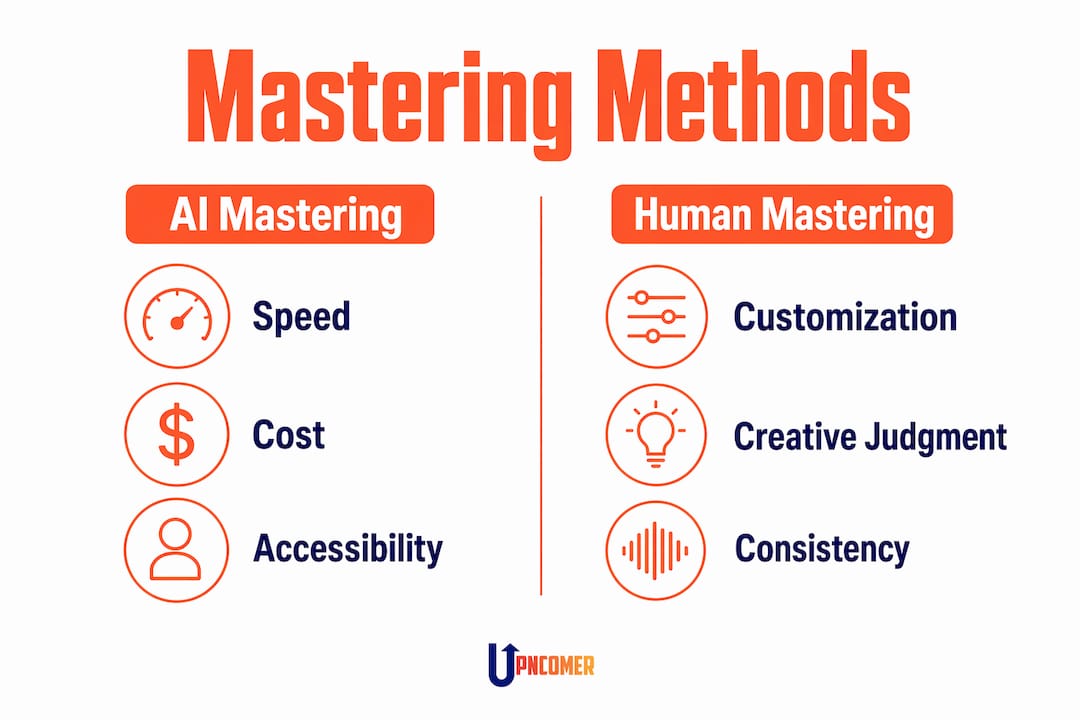
AI mastering wins on speed, cost, and consistency for high-volume, lower-stakes use cases. Human mastering wins on nuance, creative input, and the ability to handle complex or unconventional mixes. The decision comes down to what the track needs and what is at stake for the release.
Use AI mastering when:
- You are finishing a demo or rough reference for collaborators
- You need a quick master for social media content or a short-form video
- You are releasing a high volume of tracks and budget is a real constraint
- You want a fast first pass to hear how the mix translates before booking a human engineer
Use human mastering when:
- You are submitting to Spotify editorial playlists, Apple Music, or sync licensing
- You are releasing an album where flow and coherence across tracks matter
- Your mix has complex dynamics, unconventional structure, or genre-crossing elements
- The release represents a significant career moment where audio quality is non-negotiable
A hybrid workflow is the approach that makes the most practical sense for most independent artists. Run your mix through an AI mastering tool first to catch obvious tonal issues and get a loudness reference. Then take that feedback into a final mix revision before sending to a human engineer. This approach saves time in the mastering session and often reduces revision costs.
| Feature | AI mastering | Human mastering |
|---|---|---|
| Turnaround time | Minutes | 1 to 5 business days |
| Cost per track | Low (subscription model) | $50 to $300+ |
| Creative input | None | High |
| Mix problem detection | None | Yes, with feedback |
| Album coherence | No | Yes |
| Best use case | Demos, social content, batch releases | Commercial releases, albums, sync |
Practical tips for integrating AI mastering into your workflow
Getting good results from AI mastering starts before you hit upload. The quality of your mix determines the ceiling of what any mastering process can achieve, whether that is an algorithm or an engineer.
Follow these steps to prepare your mix and get the most from AI mastering tools:
- Set your mix peak levels correctly. Export your mix with peak levels between -6 and -3 dB. This gives the mastering engine enough headroom to apply compression and limiting without clipping.
- Clean up your low-end. Muddy bass is the most common mix problem that AI mastering amplifies. High-pass filter anything below 30 Hz on non-bass elements and check your kick and bass relationship in mono before exporting.
- Choose the right loudness target. Match your LUFS target to the platform you are releasing on. Spotify targets -14 LUFS integrated. Apple Music targets -16 LUFS. YouTube targets -14 LUFS. Each platform also has unique true-peak limits that your mastering engine needs to respect.
- Use a reference track. Upload a commercially released track in your genre that represents the sound you are aiming for. This gives the AI a specific tonal and dynamic target rather than relying on generic genre presets.
- Compare versions at matched loudness. When reviewing your AI master, watch limiter behavior carefully to check that transients are preserved and the master does not sound squashed compared to your reference.
- Iterate freely. Most AI mastering platforms allow unlimited re-runs. Try different loudness targets, reference tracks, and style settings, then A/B compare the versions before committing to a final master.
- Connect mastering to your release workflow. Once your master is ready, tools like UpNComer’s Distribution module let you move directly from a finished master into release planning, streaming submission, and campaign management without switching between platforms.
Key takeaways
AI mastering audio is most effective when your mix is clean, your loudness targets match the platform, and you treat it as a tool for speed and consistency rather than a substitute for creative mastering judgment.
| Point | Details |
|---|---|
| AI mastering defined | Automated processing chain applying EQ, compression, limiting, and loudness normalization to a stereo mix |
| Best use cases | Demos, social content, batch releases, and first-pass references before human mastering |
| Core limitation | Cannot fix mix problems or make creative decisions; processes what it receives |
| Loudness targets matter | Match LUFS to each platform to avoid normalization penalties that crush dynamics |
| Hybrid approach wins | Use AI for speed and reference, human engineers for commercial and album releases |
Why AI mastering is a tool, not a finish line
I have watched a lot of independent artists treat AI mastering as the final step in their production process, and I understand why. It is fast, it sounds polished, and it removes a cost that used to feel like a barrier. But the artists who get the most out of it are the ones who understand what it is actually doing.
AI mastering is pattern matching at scale. It is not listening to your music. It is comparing your frequency distribution and dynamic profile to a statistical model and applying corrections. That is genuinely useful for a lot of situations. It is not useful when your track needs someone to make a judgment call about whether the chorus should hit harder, or whether the bridge needs more space to breathe.
The thing I keep coming back to is this: learning the basics of mastering makes you a better user of AI mastering tools. When you understand what a limiter does to transients, you know when to push back on an AI master that sounds over-compressed. When you understand LUFS and true-peak, you can set targets confidently instead of guessing. The technology works best in the hands of someone who knows enough to evaluate it critically.
AI mastering democratizes audio quality for independent artists in a real and meaningful way. But democratization does not mean you stop developing your ear. Use the tools. Learn from what they produce. And know when to call in a human.
— Karan
Take your music further with UpNComer

UpNComer is built for independent artists who want professional-grade tools without the major-label overhead. The platform brings AI mastering together with Distribution, Growth Engine, Amplitude AI, and streaming analytics inside one ecosystem, so you are not jumping between five different apps to get a single release out the door. Whether you are finishing a track, planning a campaign, or analyzing what is working with your audience, UpNComer gives you the infrastructure to move faster and make smarter decisions. Explore the platform and see how it fits into your workflow as an independent artist building a career on your own terms.
FAQ
What is AI mastering audio in simple terms?
AI mastering audio is an automated process that applies professional mastering adjustments, including EQ, compression, and loudness normalization, to a stereo mix using algorithms trained on commercially mastered tracks.
How does AI mastering compare to human mastering in cost?
Human mastering engineers typically charge $50 to $300 per track, while AI mastering platforms operate on subscription models that cover multiple masters at a fraction of that cost, making them practical for high-volume independent releases.
Can AI mastering fix problems in my mix?
No. AI mastering processes whatever it receives, including mix issues like muddiness or frequency masking. A clean, well-balanced mix is required before submitting to any AI mastering tool.
What loudness target should I use for Spotify?
Spotify targets -14 LUFS integrated loudness. Mastering above that level causes the platform to turn your track down during playback, which reduces dynamic punch and perceived energy.
Is AI mastering good enough for commercial releases?
AI mastering is effective for demos, social content, and quick releases, but human mastering is the better choice for commercial singles, albums, and sync submissions where nuance, flow, and creative judgment matter.