Manage Multiple Artists on One Platform: 2026 Guide

Running a roster of artists across five different platforms isn’t management. It’s damage control. When you’re logging into separate dashboards to check streaming data, chasing royalty splits via email, and manually syncing release schedules in a spreadsheet, you’re spending more time on admin than actually growing careers. Learning how to manage multiple artists one platform at a time is the shift that separates scrappy operators from managers who actually scale. This guide walks you through exactly how to do it — what to prepare, how to set it up, what tools to use, and what pitfalls to avoid before they cost you real money.
Table of Contents
- Key Takeaways
- What you need before managing multiple artists on one platform
- How to set up multi-artist management step by step
- Common challenges when you manage creative teams online
- Best tools for artist management in 2026
- My honest take on managing multiple artists
- How UpNComer helps you manage your full roster
- FAQ
Key Takeaways
| Point | Details |
|---|---|
| Centralize before you scale | Consolidating artist profiles and data on one platform eliminates fragmentation and cuts admin overhead significantly. |
| Data ownership is non-negotiable | Master accounts, pixel data, and fan email lists must stay under your control from day one to protect your marketing leverage. |
| Match the platform to your roster size | Professional distribution plans supporting 3+ artists cost between $48 and $96 per year, so budget and feature needs should guide your choice. |
| Assign roles carefully | Granting selective analytics access to artists and team members keeps transparency high without compromising your master account. |
| AI accelerates, humans decide | The strongest multi-artist workflows use AI for execution and speed, but keep human strategy at the center of every decision. |
What you need before managing multiple artists on one platform
Before you move anything, take stock of what you actually have. A lot of managers skip this step and end up with a chaotic migration that leaves half their artist data scattered or duplicated. That’s the last thing you want.
Start by documenting your full roster. For each artist, note their current distributor login, contract status, release catalog, social media credentials, and any existing fan data like email lists or pixel audiences. If you don’t have this in one place already, build a simple master sheet. You’ll thank yourself later.
Next, think about platform criteria. Not every tool that claims to support multiple artists actually makes it workable. Here’s what to look for before you commit:
- Payment splits and royalty tracking at the artist level, not just account level
- User roles and permissions so you can invite team members and artists without handing over full control
- Analytics by artist including streaming trends, audience demographics, and playlist data
- Release scheduling with per-artist campaign tools
- Scalability so adding a fifth or tenth artist doesn’t require a plan upgrade every six months
Plans vary from supporting a single artist to three or more, depending on annual fees, so check the ceiling on your chosen plan before you sign up.
Here’s a quick feature comparison to guide your platform evaluation:
| Feature | Basic Plan | Professional Plan |
|---|---|---|
| Number of artist profiles | 1 | 3 or more |
| Payment splitting | No | Yes |
| Advanced analytics | Limited | Full access |
| Team member roles | No | Yes |
| Annual cost | Free or low | $48 to $96 |
Finally, make sure your team is ready technically. Everyone managing artists remotely needs consistent access, clear role assignments, and a shared communication channel before the first artist profile goes live.
How to set up multi-artist management step by step
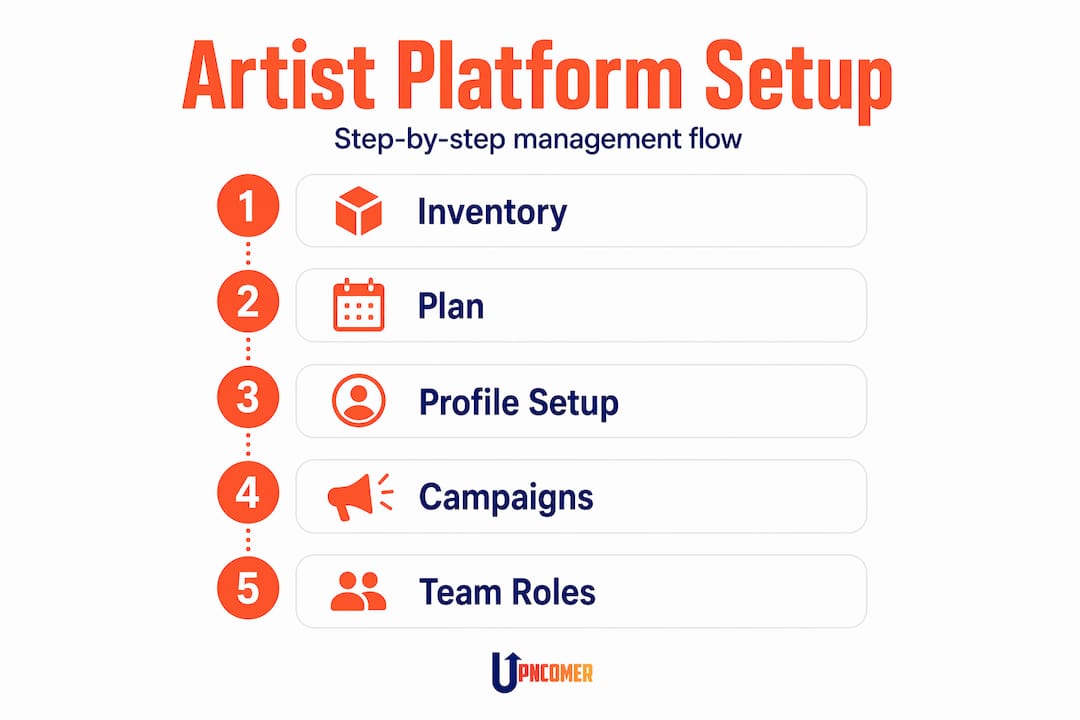
Once your prep work is done, the setup itself becomes much more straightforward. Here’s the full workflow from account creation to active management:
-
Upgrade to a multi-artist plan. Most platforms offer a professional or team tier that unlocks multiple artist profiles, payment splitting, and advanced analytics. Professional distribution plans cost between $48 and $96 annually for this access.
-
Create individual artist profiles. Each artist should have a dedicated profile with their own metadata: stage name, bio, genre tags, social links, and any existing catalog imports. Don’t merge profiles to save time. Separation here protects you later.
-
Import catalog and assets. Upload existing releases, cover art, and any previously distributed tracks. Link each profile to its streaming store presence so your analytics pulls from the right source.
-
Assign team roles and permissions. Most platforms let you share selective analytics access with artists and collaborators without giving them full account control. Use this. Your master account should stay yours.
-
Set up release planning per artist. Build out a calendar that maps upcoming releases, content drops, and campaign milestones for each artist separately. Overlapping release dates are one of the most common mistakes managers make.
-
Connect your analytics tools. Link streaming data, ad pixels, and fan engagement metrics into your dashboard so you can monitor every artist without platform switching.
-
Run a data audit monthly. Review each artist profile for missing metadata, outdated bios, and broken links. Small hygiene issues compound quickly across a large roster.
Pro Tip: When you first set up artist profiles, create a naming convention for every folder, asset, and campaign tag that includes the artist name and release year. It sounds trivial, but it becomes a lifesaver at month six when you’re coordinating four simultaneous releases.
For campaign coordination across multiple artists, treat each release as its own project with a dedicated task list, deadline, and assigned owner. That’s the level of structure that separates a functioning roster from a chaotic one.

Common challenges when you manage creative teams online
Even with a solid setup, things go sideways. Knowing what to expect means you can fix problems before they cost you a fan relationship or a royalty payment.
| Challenge | What causes it | Recommended fix |
|---|---|---|
| Permission conflicts | Shared logins across team members | Assign individual role-based access to every user |
| Data fragmentation | Multiple accounts across platforms | Centralize to one platform; migrate all assets before going live |
| Royalty accounting errors | Manual splits and unclear contracts | Use platform-level payment splitting tools and document split agreements |
| Overlapping release schedules | No shared calendar | Build a master content calendar visible to all team managers |
| Fan data loss | Pixel and email lists stored per-artist externally | Keep all fan data in one centralized hub under your master account |
| Artist access overreach | No clear permission boundaries | Use tiered access; artists see their data, not the full roster |
The biggest operational risk is data fragmentation. When master accounts, fan emails, and advertising pixels are scattered across tools and team members, you lose the ability to run coordinated campaigns. You also risk losing that data entirely if a team member leaves.
Centralizing your marketing for multiple artists does more than save time. It reduces the financial liability of running disconnected ad campaigns and makes royalty accounting significantly cleaner. The managers who struggle most with scaling are almost always the ones who let data ownership slip in the early stages.
Sensitive artist access is another area that managers tend to underestimate. Artists naturally want visibility into their numbers. The solution is transparency within limits: show them their own streaming stats and campaign results without giving them write access to the full account.
Best tools for artist management in 2026
The right tech stack depends on your roster size, budget, and how technical your team is. Here’s a breakdown of what actually works for managing artists online at scale:
-
UpNComer. Built specifically for independent music teams, it combines AI-powered management tools with streaming analytics, fan engagement, smart links, and release planning. The Artist Manager module lets you manage profiles, campaigns, and data from one place. It’s the closest thing to a full digital music team without hiring one.
-
DistroKid for Teams / Professional tier. One of the more popular distribution options for managing a platform for multiple artists. Supports payment splitting and multiple artist profiles under one account.
-
TuneCore Pro. A solid option for managers who need label-style controls with per-artist royalty breakdowns.
-
AI-powered Artist Ops platforms. Platforms adopting AI-driven team collaboration offer professional tiers around $35 per month with strategy tools built in. Useful for managers who want AI assistance without losing human oversight.
-
Monday.com, ClickUp, and Asana. Labels and managers use these to organize release schedules, track campaign tasks, and assign team roles across multiple artists. These are not music-specific, but they’re powerful when paired with your distribution and analytics stack.
-
Smart link platforms. Tools that create centralized fan-facing links for each artist’s releases. They also capture fan data and simplify tracking across DSPs. When you manage artists online across multiple releases, smart links keep the marketing layer clean.
The most effective setups pair a distribution platform for royalties and releases with a project management tool for campaigns and a centralized analytics hub for data. If you want to consolidate that further, explore AI-enabled alternatives to fragmented tools that weren’t built with music managers in mind.
Pro Tip: Don’t add a new tool to your stack just because it’s popular. Ask one question first: does this reduce the number of tabs I need open, or does it add one more?
My honest take on managing multiple artists
I’ve watched a lot of managers go into over-automation mode and come out the other side frustrated. They adopt every AI tool they find, set up automated email sequences for each artist, and schedule posts six weeks in advance. Then an artist drops something unexpected, or a song blows up on TikTok at 2 a.m., and the whole automated system is pointing in the wrong direction.
The hybrid model of AI execution plus human decision-making works because AI is great at speed and pattern recognition, and humans are great at reading the room. You need both. The mistake is treating AI as a replacement for judgment rather than an extension of it.
What I’ve learned about centralized artist management is that the data ownership conversation has to happen on day one. Not week three. Not when something goes wrong. I’ve seen managers lose entire fan lists because a departing team member owned the pixel account. That’s not a tech problem. That’s a process problem that technology can only fix if you’ve set it up right from the start.
My contrarian take on multi-artist platforms: the best artist development outcomes rarely come from managers who have the most sophisticated stacks. They come from managers who use fewer tools, know them deeply, and spend the time they save on actually talking to their artists. The platform is the infrastructure. The relationship is the career.
— Karan
How UpNComer helps you manage your full roster

If you’ve been piecing together your management workflow from five different platforms, UpNComer was built to replace that pile. It’s an AI-powered operating system for independent music teams, and its Artist Manager module lets you consolidate artist profiles, campaigns, streaming analytics, and fan engagement into one place.
You get Amplitude AI guiding strategy, a Data Analyst tracking streaming trends per artist, smart links for centralized marketing, and release promotion tools that work across your entire roster. No more switching tabs to check who’s pitching what to which playlist. Everything lives in one unified platform built specifically for the way modern independent managers actually work. It’s the kind of infrastructure that used to require a full label team.
FAQ
What does it cost to manage multiple artists on one platform?
Professional distribution plans for managing multiple artists typically cost between $48 and $96 per year. AI-powered artist ops platforms with team collaboration tools run around $35 per month.
How do I keep artist data separate when managing a shared account?
Use role-based permissions to give each artist and team member access only to their own data. Most professional platforms let you share selective analytics without exposing the full account.
What is the biggest risk when consolidating artist management?
Data fragmentation is the most common failure point. Master accounts, fan emails, and ad pixels should all be centralized under your control from the start, not distributed across team members or individual artist accounts.
Can AI tools fully automate multi-artist management?
No. The most effective approach is a hybrid model where AI handles execution tasks like analytics and scheduling while human managers retain strategic decision-making and artist relationship oversight.
Which project management tools work best for music manager teams?
Monday.com, ClickUp, and Asana are widely used by labels and managers to coordinate release schedules and track campaigns across multiple artists. Pair them with a music-specific platform for distribution and analytics.