30 Minute Audit for Artists: Cut Tool Overwhelm Without New Apps
Stop adding apps. Fix the workflow, then cut your active tools down to a small core stack you actually use every day. Tools don’t repair a broken process, they just hide the cracks in it, and every new app you bolt on quietly steals creative time you’ll never get back. The rest of this guide walks through the audit, the simplification steps, the workflow rules, and where an integrated platform can carry the load for you.
TL;DR:
- Limiting tool usage to a core set improves workflow speed and reduces time lost in context switching, especially when tools are deeply integrated.
- Conducting a simple one-week freeze on new apps and a quick triage can identify unused tools and prevent further clutter.
- Building a small, familiar tool stack for file storage, project tracking, feedback, creative work, and scheduling leads to better focus and long-term efficiency.
- Implementing clear workflow rules like a single source of truth and revision caps decreases mental fog and helps maintain focus on creative tasks.
- Using a unified platform eliminates the need for multiple dashboards, streamlining tasks and reducing the “digital commute” that hampers productivity.
Table of Contents
- Artists Juggling Too Many Tools: 5 Quick Moves to Reduce Overwhelm
- How Do You Audit the Tools You Actually Use?
- Simplify and Consolidate: Building Your Core Stack
- Workflow Rules That Stop Context Switching
- Should You Adopt a New Tool? A Simple Decision Funnel
- Delegation and Automation: Where to Shed the Admin Work
- Why a Unified Workspace Beats a Pile of Apps
- A Short Routine That Actually Keeps the Overwhelm Away
- How UpNComer Simplifies the Chaos
- Sources
- FAQ
Artists Juggling Too Many Tools: 5 Quick Moves to Reduce Overwhelm
Before any deep audit, you can cut noise in one sitting. Try these five moves this week:
- Call a one-week tool-buying freeze. No new apps, no “just one more trial,” no matter how good the ad looked.
- Pick a single home for files, tasks, and feedback. Not three homes. One.
- Run a 30-minute triage. List every tool you touched this month and mark each one keep, merge, or retire.
- Set one revision rule per project. Something as simple as “two rounds of feedback, then we lock it.”
- Block off maker-only time and mute non-urgent notifications during that window, full stop.
None of this requires new software. It requires you to sit down and be honest about what you’re actually using versus what you downloaded during a burst of motivation in March.
Pro Tip: Do the triage audit with a timer running. Twenty-nine minutes in, you’ll suddenly know exactly which three tools you’ve been avoiding opening.
How Do You Audit the Tools You Actually Use?
A real audit isn’t a gut check, it’s a five-step process that turns “I think I use too much stuff” into a list you can act on.
- Inventory by purpose and last-used date. Write down what each tool is supposed to do and when you last opened it. Anything untouched in 30 days is a candidate for the chop.
- Time-sample your switching. For three days, jot down every time you jump between apps to finish one task. Notice how often a single release post requires four different tabs.
- Map the overlap. If two tools both handle scheduling, or both let you leave feedback on a file, you’re paying (in money or attention) for the same function twice.
- Apply one decision rule. Keep a tool only if it solves a gap you’ve actually measured, not one you’re guessing at.
- Retire safely. Export your data, archive anything with sentimental or legal value, and hand off active threads before you cancel.
The stakes here are bigger than most artists assume. Design teams and creative professionals can lose up to 70% of their workday to digital filing and context switching rather than actual creative output. If that number sounds extreme, it’s because most people never measure it. You probably haven’t either, which is exactly why the time-sampling step matters more than it seems.
Simplify and Consolidate: Building Your Core Stack
The goal isn’t zero tools. It’s fewer tools, used deeply. Familiarity with a small set of platforms acts as a speed multiplier for creative work, because the friction of relearning an interface every time you switch apps eats into the bandwidth you need for actual decisions.
A workable core stack for most independent artists looks like this:
- One file store you trust completely (cloud drive, no exceptions).
- One project and task tracker for deadlines and to-dos.
- One feedback and annotation tool where notes on a mix or a design live and stay.
- One primary creative app per discipline, whether that’s your DAW, your design software, or your video editor.
- One content scheduler for posts and release announcements.
Commit to that stack for three months before judging it. Measure your speed at the start and again at the end. Practitioners who’ve built decades-long “tradigital” workflows, blending traditional foundations with a limited set of digital tools, consistently report that depth beats breadth. Back up everything and export your history before you retire anything, just in case the “old way” turns out to matter later.
Pro Tip: If you can’t remember the last time you opened a tool without checking your app list first, that’s your answer. Retire it.
Workflow Rules That Stop Context Switching
Tools don’t cause chaos on their own, unclear rules do. A handful of lightweight process rules will do more for your sanity than any new app.
- Define a single source of truth. Every project gets one home for the current file version and one thread for feedback. Pin it, don’t scatter it.
- Set revision caps with named approvers. “Two rounds, then it ships” removes the endless loop of open-ended notes.
- Separate urgent from non-urgent channels. A text means now. A message in your project tool means “when you get to it.”
- Use templates for feedback. A short form (what’s wrong, where, how urgent) beats a paragraph of vague notes every time.
These rules exist because of a real cognitive cost called Attention Residue, the mental fog that lingers after you switch tasks or apps. Every time you hop from your DAW to your inbox to a spreadsheet and back, part of your brain stays stuck on the last thing. Reducing the number of hops is what actually restores focus, not a smarter notification setting. If you manage collaborators, our guide to music project management covers how to set these boundaries with a team without becoming the bottleneck yourself.
Should You Adopt a New Tool? A Simple Decision Funnel
Evaluate categories, not brand names, and run every candidate through the same funnel: identify the specific gap, prototype a manual workaround first, trial the real tool for two weeks, then measure before you commit.
Categories worth knowing:
- Analytics dashboards solve “I don’t know which platform is actually driving fans.”
- Fan engagement or CRM tools solve “I lose track of who’s actually paying attention.”
- AI mastering tools solve “I can’t afford a mix engineer for every single.”
- Automation for release scheduling solves “I keep missing my own deadlines.”
Watch for what’s often called digital duct tape, integrations that connect apps together without eliminating the underlying mess. If a “solution” is really three Zapier steps stitching four apps together, you haven’t consolidated anything, you’ve just made the seams harder to see. Test any new capability against time saved, fewer app switches per week, and fewer mistakes. If it doesn’t move those numbers, archive it.
Delegation and Automation: Where to Shed the Admin Work
Not every task deserves your creative attention, and pretending otherwise is how burnout happens. Buying a new tool often masks a workflow problem rather than fixing it, and the same is true of refusing to delegate anything at all, that’s often avoidance dressed up as control.
Good candidates for delegation or automation:
- Invoicing and basic bookkeeping.
- Scheduling posts and routine fan outreach.
- Mastering templates for consistent loudness across a catalog.
- Auto-tagging files and generating release-ready exports.
Hire a virtual assistant or fractional project manager once admin work regularly eats into your studio time. Automate the rest. Keep every creative decision, mixes, artwork, messaging, in your own hands.
Pro Tip: If a task doesn’t require your artistic judgment, it shouldn’t require your attention either.
Why a Unified Workspace Beats a Pile of Apps
Agencies and creative teams pay a steep hidden cost when their stack is fractured, and the same math applies to a solo artist whose time is the entire business. A single container for tasks, files, and conversations collapses what amounts to a “digital commute” between apps, cutting the reboot time your brain needs every time you switch context.
A workspace that holds your release calendar, your fan data, your mastering, and your campaign performance in one place doesn’t just save clicks. It removes the handoffs where creative momentum usually dies.
UpNComer’s modules map directly onto the categories artists actually need: Growth Engine for campaign management, Amplitude AI for guided decisions, Artist Manager for the moving pieces, Content Creator for scheduling, and Distribution for getting the music out. One login instead of six replaces guesswork with a single source of truth.
— Karan
A Short Routine That Actually Keeps the Overwhelm Away
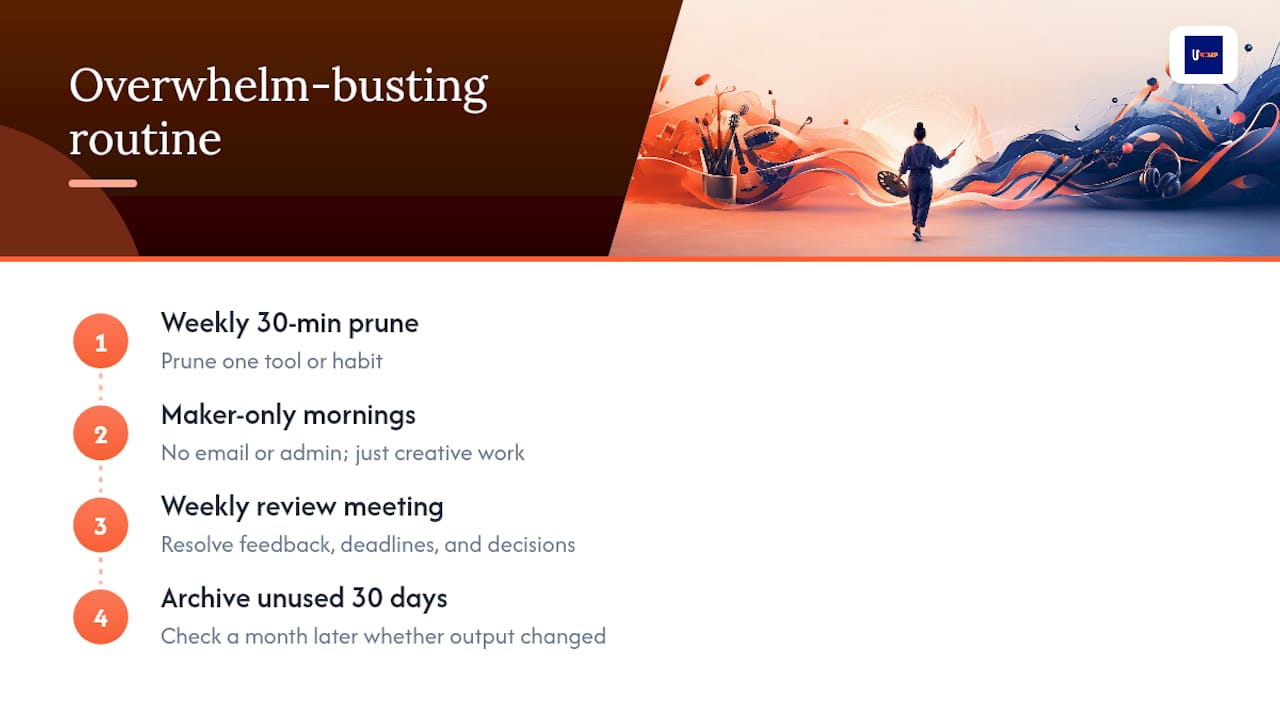
Every Sunday, spend 30 minutes pruning one tool or habit that’s stopped earning its place. Keep your mornings maker-only, no email, no admin, just the work. Hold one weekly review meeting where feedback, deadlines, and decisions get resolved instead of dragging across five different threads. Archive anything unused for 30 days, then check a month later whether your output actually changed. It usually has.
How UpNComer Simplifies the Chaos
UpNComer replaces the pile of disconnected apps with one workspace built specifically for independent artists, and that’s the concrete difference: no more logging into five dashboards to answer one question about your release. Growth Engine handles ad campaigns, Data Analyst tracks streaming performance, Artist Manager keeps your projects and deadlines in one calendar, and UrStudio and ProfessorU cover mastering and skill-building without sending you shopping for another app.

The job-to-be-done is simple: campaign management, fan engagement, analytics, and release execution, all pulling from the same data instead of five separate exports you have to reconcile by hand. If you’re tired of the tool trap described throughout this guide, our breakdown of building one artist OS goes deeper into how consolidation actually works in practice. Check out the latest features and workflows on the UpNComer community updates page to see what fits your setup right now.
Sources
- Dear Creative Director: Your Team Isn’t Distracted, Your Stack Is Broken
- Why Fewer Tools Makes You a Faster Creative
- The ultimate tradigital workflow guide: mastering 3D modeling, AI and traditional art — my 20-year retrospective
FAQ
Are a lot of artists dealing with ADHD-related overwhelm?
Many creatives report attention and organization challenges that make tool sprawl especially draining, and ADHD-friendly productivity systems built around fewer, clearer steps tend to help more than adding another app.
How many tools should an independent artist actually use?
There’s no fixed number, but a core stack of one file store, one task tracker, one feedback tool, one creative app per discipline, and one scheduler covers most working artists without gaps.
Can a platform like UpNComer really replace multiple separate tools?
UpNComer consolidates campaign management, analytics, fan engagement, and mastering into one workspace, which directly addresses the context switching and duplicated effort this guide describes.