90 Day Content Calendar for Musicians, With Batching Checklists

Use a rolling 90-day calendar built around three content pillars, anchored to your release dates, with two batch-production days scheduled every month. That structure gives you a repeatable rhythm instead of a blank page every Sunday night. Below, you’ll find the full 90-day build, weekly templates, a batching checklist, and the tools that keep this running without eating your creative time.
TL;DR:
- Most artists should focus on a 90-day rolling calendar organized around Music, Process, and Personality pillars to maintain consistency.
- Batch production on two dedicated days each month can create 8 to 12 short-form clips and multiple longer pieces, optimizing time efficiency.
- Posting intensity should match capacity, with platform-specific cadence favoring daily TikTok uploads and 3-5 weekly Instagram Reels to maximize engagement.
- Content around release dates, including pre-save, launch, and post-release extensions, boosts algorithmic momentum and listener retention.
- Simplify calendar management with tools that track pillar, asset type, platform, schedule, and performance metrics, avoiding unnecessary complexity early on.
Table of Contents
- The framework: pillars, posting frequency, and release alignment
- How to build your 90-day content calendar step by step
- Weekly templates and platform-specific posting cadence
- Running an efficient batch production day
- Adjusting your calendar for release campaigns
- Tools, trackers, and what your calendar should record
- Tips for collaborating with other artists and brands in your calendar
- Incorporating fan-generated content and community interaction
- A few trade-offs worth naming
- How UpNComer helps you run this calendar without juggling five tools
- FAQ
- Sources
The framework: pillars, posting frequency, and release alignment
Every post you make should fall into one of three pillars: Music (the songs themselves, lyric snippets, studio clips), Process (how you write, record, rehearse, the behind-the-scenes reality), and Personality (who you are outside the booth, the stuff that makes fans care about you as a person). A common split that works for independent artists is to prioritize Music as the main focus, followed by Process and Personality content, with adjustments during a release push.

Posting frequency depends on your capacity, not some arbitrary industry rule. A low-output model with a few posts per week suits artists juggling a day job. A moderate model with several posts weekly fits artists treating music as a part-time business. A high-output model with daily posting plus multiple short-form edits fits artists in active release cycles or with a small team helping out.
Anchoring your calendar to release-related dates matters because algorithms and playlist editors both reward momentum. Build your calendar around:
- Pre-save and pre-order windows, typically 2 to 4 weeks before release.
- Launch day content, including the first 24 to 48 hours of post-release push.
- Playlist pitching deadlines, which often sit 3 to 4 weeks ahead of a release date.
- Post-release extension content that keeps the song alive for a month or more after drop day.
A clear music release checklist gives you the exact dates to drop into this calendar so nothing slips.
How to build your 90-day content calendar step by step
Break your 90 days into three phases, each with its own job to do.
- Build (Days 1 to 30): Establish your pillars, audit your existing content, and batch your first month of posts. Goal: a full content bank and a working posting rhythm. KPI: consistent posting without gaps.
- Activate (Days 31 to 60): Layer in release-specific content if a drop falls in this window, start testing captions and formats, and begin tracking which posts drive saves or shares. Goal: find your highest-performing format. KPI: engagement rate per pillar.
- Extend (Days 61 to 90): Push your best-performing content types harder, add collaborations or fan-generated posts, and plan the next 90-day cycle. Goal: sustained growth without starting from scratch. KPI: follower growth and repeat engagement.
Each month, plan two batch days. On batch day one, shoot and capture: short-form clips, Reels footage, and raw performance takes. On batch day two, edit and prep: thumbnails, captions, and scheduling for the next four weeks. A single batch cycle should produce 8 to 12 short-form clips, a handful of longer-form pieces, and a stack of captions ready to drop into your scheduler.
Use a checklist for every batch day: shot list confirmed, outfits or setting ready, captions drafted in advance, and a folder structure for raw footage so editing doesn’t turn into a scavenger hunt.
Pro Tip: Batch captions separately from footage. Writing ten captions in one sitting is faster and sharper than writing one caption per day for ten days.
Weekly templates and platform-specific posting cadence
Your weekly template should match your output model, not someone else’s.
A low-output weekly template covers 3 to 4 posts: one Music pillar post (a clip or lyric snippet), one Process post (studio or rehearsal footage), and one Personality post (something personal, unscripted). A high-output weekly template adds daily short-form content, a longform YouTube upload every one to two weeks, and more frequent community posts like polls or behind-the-scenes stories.
Platform cadence differs because audiences behave differently on each one:
- Instagram Reels: 3 to 5 per week, mixing native filming with repurposed clips from longer content.
- TikTok: Daily or near-daily works best, since the platform rewards volume and fast iteration.
- YouTube Shorts: 2 to 4 per week, often repurposed from Reels with minor edits to aspect ratio and captions.
- Longform YouTube: 1 to 2 per month, used for vlogs, full performances, or process documentaries.
- X: Daily short updates work well for direct fan conversation and release countdowns.
Native posting (filmed specifically for the platform) tends to outperform repurposed content, but repurposing is still the backbone of a sustainable schedule. Keep captions short and direct on fast platforms, and save longer storytelling captions for Instagram and YouTube. Check out Reels ideas for musicians when you need fresh formats to fill a batch day.
Running an efficient batch production day
A good batch day has three phases: prep, shoot, and edit.
Pre-batch prep happens the day before: write your story beats, build a shot list, draft captions, and gather any props or outfits you need. This step is what separates a two-hour shoot from a six-hour one.
- Set up your space (lighting, mic, camera angle) before you start filming anything.
- Film in blocks: all performance clips first, then all talking-to-camera content, then any B-roll.
- Review footage at the end of the session to catch gaps before you lose the setup.
For editing, time-box each piece rather than polishing endlessly. Use template captions you’ve already drafted, schedule posts in batches rather than one at a time, and consider automating repetitive scheduling tasks or bringing in outside help once your output outpaces your available hours.
Pro Tip: If you’re a solo artist, film with your phone on a tripod and batch-record your talking segments back to back. You’ll sound more natural than if you try to write a perfect script for each one.

Adjusting your calendar for release campaigns
Regular pillar content should pause or shrink about two weeks before a release, giving way to release-first content: countdowns, teaser clips, pre-save pushes, and playlist pitch follow-ups. This is also when you layer in paid-promotion windows, since ad spend works best when organic momentum is already building.
Don’t let the campaign end on release day. Add re-engagement touchpoints for the two to four weeks after launch: a lyric video, a behind-the-scenes recap, or a fan reaction compilation.
Common mistakes worth correcting early:
- Over-posting in the final days before release, which buries your actual launch content.
- Inconsistent calls to action, so fans aren’t sure whether to stream, pre-save, or share.
- Dropping all content the week after release, which kills the momentum you just built.
Tools, trackers, and what your calendar should record
Split your toolkit into three categories: planning tools (a calendar or board view), scheduling tools (native platform schedulers plus third-party options), and analytics trackers (platform insights or a unified dashboard). Ready-made templates like the musician content calendar template from ClickUp show how custom fields, multiple views, and status tracking keep a solo artist or small team organized without rebuilding a spreadsheet from scratch.
Every entry in your calendar should record:
- Pillar (Music, Process, or Personality).
- Asset type (Reel, Short, longform video, static post).
- Platform and scheduled publish time.
- The call to action and any tracking link attached.
- Status (drafted, scheduled, published) and who owns the task.
Self-hosted dashboards can centralize analytics across platforms and keep scheduled publishing reliable, as demonstrated by the Twiligent project, which pairs API integrations with automated publishing workflows. Track saves, shares, and watch-through rate rather than just likes, since those metrics tell you whether to shift your pillar mix or posting cadence next cycle.
Tips for collaborating with other artists and brands in your calendar
Collaboration slots deserve their own line item in your calendar, not a last-minute addition. Block out recurring collab windows, monthly or quarterly, so you’re actively looking for partners instead of waiting for someone to reach out.
When planning with another artist, align on pillar type before filming: a joint Process post (writing session together) tends to feel more natural than a forced Personality crossover. Split promotion duties clearly: who posts first, who tags whom, and whether you’re cross-posting the same edit or creating platform-specific versions.
For episodic or recurring collab formats, like a monthly duet series or a rotating “artist spotlight” segment, a structured approach helps keep momentum. Guides like Iguanify’s piece on building an episodic content calendar are useful if you’re trying to turn a one-off collaboration into a recurring series that runs with less planning each time.
Brand partnerships follow similar rules: treat sponsored content as its own pillar entry with its own CTA and tracking link, and space brand posts so they don’t crowd out your Music pillar in the same week. Keep the tone consistent with your usual Personality voice rather than switching into ad-copy mode, since that mismatch is usually what makes sponsored posts underperform.
Incorporating fan-generated content and community interaction
Fans are one of the most underused content sources in a typical calendar. Reserve a recurring slot, weekly or biweekly, for reposting fan covers, reaction videos, or comments that capture something real about how people connect with your music.
A few ways to build this into your schedule:
- Run a recurring prompt (a lyric challenge, a cover request, a “tag us in your playlist” post) tied to a specific day each week.
- Repost fan content with credit, turning it into a Personality or Process pillar post depending on the context.
- Use polls, question stickers, or comment prompts to generate raw material you can turn into future captions or video topics.
Community interaction doesn’t need to be elaborate to work. Replying to comments on camera, reading fan messages in a Reel, or building a short series around frequently asked fan questions all count as legitimate calendar entries, and they tend to perform well because they’re inherently personal.
A few trade-offs worth naming
If you’re a solo artist, skip the elaborate board with ten custom fields. A simple list with pillar, platform, and date is enough until you add a manager or collaborator who needs more structure. Add complexity only when you’ve outgrown the simple version, not before.
Momentum matters more than perfection. A slightly rough post on schedule beats a polished one that never ships.
— Karan
How UpNComer helps you run this calendar without juggling five tools
Running a 90-day calendar by hand works, but it gets harder once you’re tracking release dates, ad spend, and analytics across multiple platforms at the same time. Our platform lets independent artists manage that whole workflow in one place instead of stitching together a scheduler, a spreadsheet, and three separate analytics dashboards.
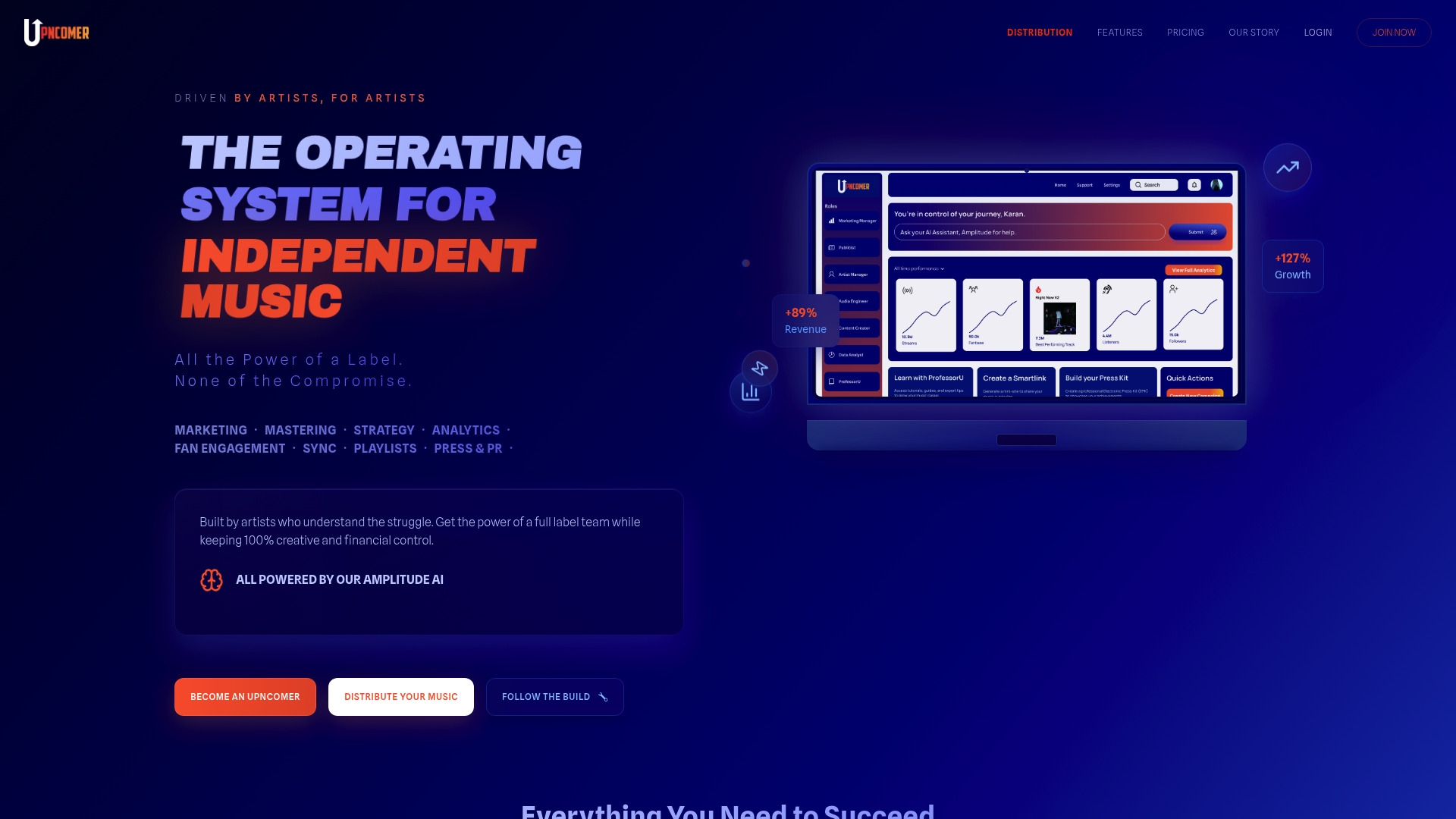
Inside UpNComer, Amplitude AI helps you figure out what to post and when based on your own release timeline, our Content Creator tools help you batch and schedule the assets you’ve planned, and our analytics dashboards track saves, shares, and streaming performance so you can see what’s actually moving the needle. Our Distribution tools also tie your release dates directly into your promotional calendar, so pre-save windows and playlist pitch deadlines line up automatically instead of living in a separate notebook.
- Plan and schedule content without switching between four different apps.
- Get AI-guided suggestions on cadence and pillar mix based on your real performance data.
- Connect your release calendar directly to your distribution and promotion timeline.
If you’re ready to put your 90-day calendar into a system built for it, check out UpNComer Pro, starting at $27 per month.
FAQ
What is the best content calendar for musicians?
The best structure for most independent artists is a rolling 90-day calendar organized around three pillars, Music, Process, and Personality, anchored to release dates. Tools like a musician calendar template make it easier to track pillar, platform, and status in one place.
What is the 35 year rule in music?
There is no widely recognized rule in the music industry tied to content calendars, release strategy, or royalties. If you’ve seen this term elsewhere, it likely refers to a specific contractual or copyright context rather than a general industry standard.
What are some creative content ideas for musicians?
Strong formats include studio process clips, lyric breakdowns, fan cover reposts, and behind-the-scenes rehearsal footage. Recurring series, like a monthly collaboration segment or a weekly fan question response, also keep a calendar fresh without reinventing ideas every week.
What should a content calendar include?
A useful calendar entry tracks the pillar, asset type, platform, publish time, call to action, tracking link, and status. This structure, similar to what’s used in ready-made musician templates, lets you review performance and adjust cadence without guesswork.